Sampler sequencer for professional musicians composers
The app turns a device into a sampler sequencer. Users can record or import sounds, and the app creates a scale of sounds assigned to a virtual keyboard.
by Gianluca Natalini★ 0.00 ratingsMusic$1.99Data updated 2026-09-18
Create and customize click patterns with the click sequencer. Adjust tempo using advance mode or set silent intervals. Save setlists and track settings. Design detailed click sounds. Support advanced time signatures and custom color schemes.
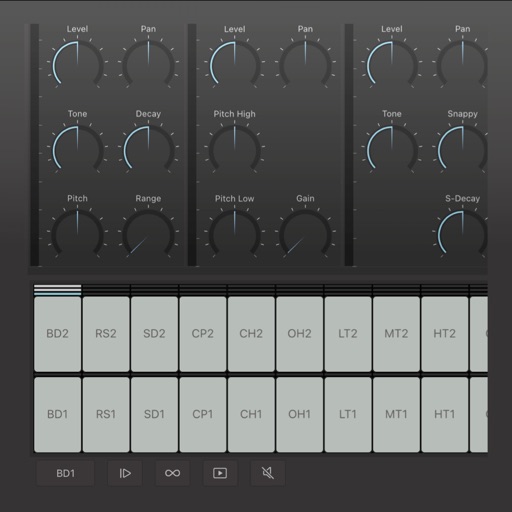
Create and edit drum patterns using 27 drum voices. Apply effects like delay, chorus, and reverb. Automate parameters and sequence 16-bar patterns. Save and load project files for later editing.
Record audio or video to create with on-device AI analysis. Extract , beats, , and MIDI tracks. Import audio files in various formats. Sync across devices and store them securely.
Play files from local storage or services like Google Drive, Dropbox, and OneDrive. Import tracks via WiFi, iTunes, or iCloud. Support multiple audio formats including MP3, FLAC, WAV, and AAC. Listen without internet connection.
The app emulates the VCS3, a portable synthesizer created in 1969. It features three oscillators, a noise generator, a voltage-controlled filter, and a unique patch board matrix for component connection.
The app provides digital audio workstation capabilities for creating music. It supports up to 32 audio tracks for recording and mixing, with options for importing and exporting various audio file types.
Catalog and organize chord charts and lyrics. Import from online sources or create new charts. Sync across devices via iCloud. Build and share setlists. Transpose, capo, or rewrite chords. Use with metronome, autoscroll, and chord buttons.
Create and edit sequences with step-based patterns. Connect steps using conditional wormholes for structured or random variation. Adjust melodies in real time without affecting the groove. Sync with external devices for live performance.
Display finger positions on the instrument with visual guides. Hear each musical note's sound. Watch live demonstrations. Access lessons for different types including F, Bb, and double .
Split audio files into vocals and instruments using AI. Import audio or video files, screen recordings, or paste links. Export stems in various formats. Edit and rearrange tracks within the .
The app provides a complete collection of creative tools for songwriting, beat making, editing, and mixing. It includes a massive collection of instruments, effects, loops, and samples to create music.
Import audio files and extract samples using automatic transient detection or manual markers. Play slices with MIDI controllers or built-in pads. Adjust parameters like reverse, level, attack, and release. Sync with AU hosts for automation.
Create and design synthesizers with modular patches. Adjust audio parameters in real time. Export sounds and share projects. Use professional-grade tools for live performance and experimentation.
Create and edit complex rhythmic patterns with independent sequence lengths for each drum voice. Generate polyrhythms and polymeters. Export sequences for use in AUv3 hosts or external drum machines.