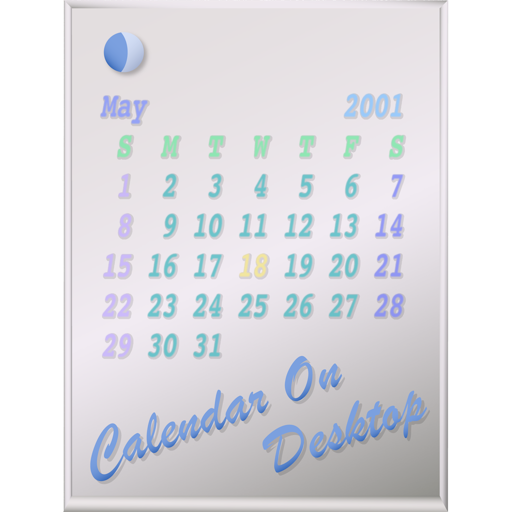
The app displays calendars on the user's Mac desktop. It allows users to move, resize, and customize the calendar's appearance, including displaying multiple months and iCal events.
by Takashi Hamada★ 0.00 ratingsUtilities$2.99Data updated 2026-09-18
Create and manage calendars with customizable themes and layouts. Add events, set reminders, and sync across devices. Share calendars with friends and collaborate in real-time. Track tasks and deadlines with intuitive scheduling tools.
Displays the current month with holidays and events. Select any date for detailed view. Show current date in menu bar and dock. Access calendar features via widget. Customize date display settings.
View dates in , English, and Chinese. Tap events to see celebrations and holidays. Customize themes and switch between 1900 and 2100. Add English holidays and receive notifications for holy days and upcoming events.
The app displays the Chinese, Japanese, and Korean calendar on the menu bar. It allows users to view the date and time, bring up a month calendar with one click, and switch between years and months.
Manage schedules with day, week, month, and year views. Swipe to navigate and control events. Choose from 7 visual themes. Sync with iCal, Google , and Outlook. Add widgets and optional badge icons. Available on iPhone and iPad.
Displays dates in Persian, Islamic, and Gregorian calendars. Users can switch between English and Farsi languages. It shows international holidays and Persian events. Features include daily, monthly, and annual views.
Displays calendar events from synced sources like Google, Yahoo, and Exchange. Shows meetings and appointments with customizable event colors. Allows adding new calendars and managing event details.
View monthly and weekly calendars with customizable background colors. Display today’s events and weekly schedule using personal photos as backgrounds. Access illustrated monthly calendars with unique monthly illustrations.
Customize iPhone and iPad home screens and lock screens with wallpapers, widgets, and icons. Create AI-generated DIY wallpapers and apply theme-based designs. Change icons and layout in one action.
Track and organize shift schedules, training days, holidays, and on-call periods. Log completed shifts, record working hours and locations, and calculate pay. View upcoming events and manage work-life balance.
Set reminders for daily events and custom categories. Sort and share events. Customize reminder times and date settings. Repeat events with set cycles. Backup events to iCloud. Display completed events on the home screen.
View and manage with daily, weekly, and monthly views. Create events, set reminders, and track deadlines. Log tasks, build habits, and sync across Mac, iPhone, iPad, and Apple Watch.
Manage daily tasks, set reminders, and organize events with customizable calendars. Track habits and goals with progress indicators. Sync across devices and share schedules with others.
Display digital with seconds on lock screen, dynamic island, home screen, and standby mode. Switch between multiple beautiful analog dials using swipe gestures. Set music-based clocks to wake up on time.
Display with seconds and date on a dynamic island. Switch between 12 and 24-hour formats. Set smart alarms that adjust volume automatically. Use multiple themes. Access timer, stopwatch, and countdown features.
Display current time with seconds on home screen, lock screen, and dynamic island. Choose from various faces and digital displays. Use full-screen mode for timers. Set smart alarms with automatic volume adjustment.