Apply real-time filters to photos using retro video game color palettes and resolutions. Choose from preloaded systems or purchase additional ones. Edit existing photos with available filters. Share filtered photos directly via the 's share dialog.
The app provides a digital whiteboard experience for drawing and sketching. It offers multiple marker colors and tip sizes, with undo/redo functionality and the ability to save drawings.
The app turns screen time into meaningful time with Bible stories. Children color scenes while listening to scripture or narration, fostering creativity and connection.
Kids Drawing offers simple pages with animals, cars, and other themes. Users can tap and swipe to color. Includes playful games for interactive learning. Allows saving and sharing of completed artwork.
MPScan enhances scanned images by automatically cropping with edge detection and perspective correction. It removes scratches, dust, and noise using smart filters. Users can apply automatic or manual adjustments for image enhancement.
Access a collection of animal drawings from around the world. Color pages designed for children and adults. Includes themed illustrations for relaxation and entertainment during travel or downtime. Share completed pages via social media.
Manage roleplaying sessions with Fate Chart and Fate Check features. Roll for yes/no/exceptional outcomes using Ask Your Fate Question. Track scene checks with Chaos Factor and doubles-triggered drama.
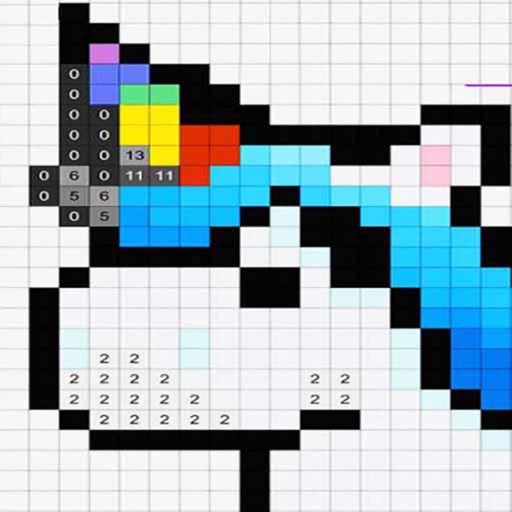
By allows users to select and images based on numbered sections. Features include choosing from floral, mandala, and animal designs, following numbered guides to fill in colors, and completing artwork.
Apply true black-and-white dithering to photos and videos, creating pixel- visuals. Adjust color palettes to mimic vintage computer graphics or classic GIFs. Export transformed in various formats and share directly.
Create art using biological simulations and reaction-diffusion patterns. Apply 40+ presets to generate natural-looking designs. Manipulate parameters to adjust patterns dynamically. Export artwork in various formats.
Test colors on walls using photos or palette selections. Apply color to home images for visual preview. Adjust color tones and brightness. Save and compare color options before purchasing .
The app provides a blank canvas for children to paint with random brush sizes and colors. Users can set the background color, use photos as backgrounds, and access unlimited undo functionality.
Edit images by on photos with 45 colors and five pen thicknesses. Use zoom edit and undo functionality. Add text with drag and pinch for free layout. Import from camera roll and attach images. Share edited content via email, Twitter, and Facebook.
Create animated doodles by replaying the drawing process as a cartoon. Use 20+ unique paintbrushes including rainbow, neon, and flower brushes. on photos from camera or gallery. Save and view drawings in a personal gallery.