Whiteboard junior doodle pad
ARAPPDEV
Draw color save and share ideas
The app provides a digital whiteboard for iPhone and iPad. Users can draw, color with digital ink, and use an eraser.

Children learn to draw pictures easily.
The app teaches children to draw four different pictures in four easy steps. Finished drawings can be colored and saved for printing.
Showing 161–180 of 1,000 ranked alternatives.
ARAPPDEV
Draw color save and share ideas
The app provides a digital whiteboard for iPhone and iPad. Users can draw, color with digital ink, and use an eraser.
The App Tower Inc.
Draw, animate, and save artwork
Draw with responsive touch input and customizable brush sizes. Apply sparkle animations while creating art. Save drawings to the device photo album. Share completed artwork directly.
A2DWebs
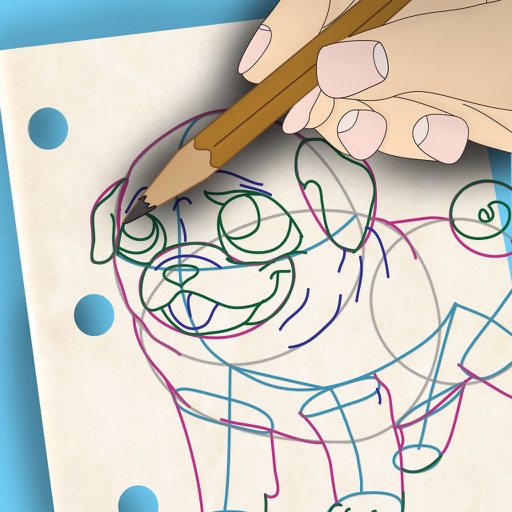
, learn, and create anytime
Learn to step-by-step tutorials. Practice techniques and create artwork anywhere. Save and share drawings. Access a library of drawing lessons.

Alexandre Morcos
Write with colored chalk on your
Turns into a for writing and drawing with colored chalks. Includes realistic animations and sounds. Use photos from the album as backgrounds. Write on images, save, or email them.


Gorasiya Vishal Nanjibhai
Learn art with step-by-step drawing tutorials
Learn drawing through step-by-step tutorials. Create and customize designs. Save and share artwork. Access drawing lessons for beginners and advanced users. Track progress and practice sketching techniques.
A2DWebs
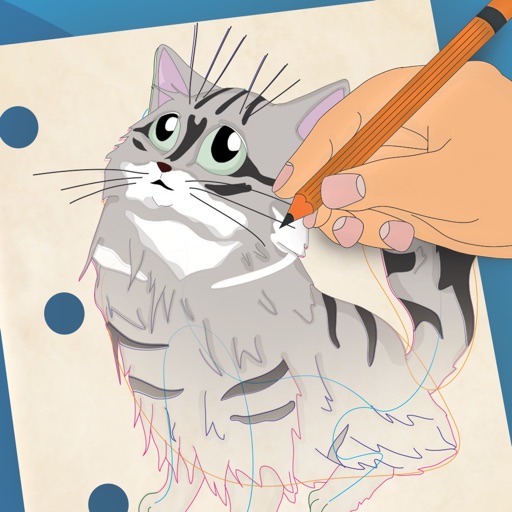
, , and share your art
Learn to and in 8 step-by-step lessons. Choose a breed, practice drawing techniques, and create artwork anywhere. Save and share finished drawings.

Stas Gurevich
Color and draw on fun pages
Color pictures with realistic brush strokes and save creations. Access a variety of pre-drawn images to color. Draw freely on blank pages with zoom functionality. Watch video replays of drawing sessions.


Game Tunes, MChJ
Color, draw, and learn together
Binky allows children to color pages with touch and drawing tools. Features include color selection, erasing, and saving artwork. Includes 150+ themed pages to develop fine motor skills and hand-eye coordination.

RYOSUKE HIRAMATSU
Draw with partner, split into face
Draw with a partner using a shared theme and time limit. Split into face and body sections. Use a RoomID to join or create a session. Share drawings and compare results.

Futurewhiz B.V
Practice reading, math, and language with quizzes
Offers interactive quizzes and instructional videos across all subjects for grades Kindergarten through 6th grade. Practice reading, math, and language skills. Aligns with Common Core standards. Includes standardized test question practice.

Alexandre Minard
Play mazes, collect cheese, level up
Play a where a mouse navigates through levels to eat cheese. Choose from 3 difficulty settings. Complete mazes by moving the mouse carefully to avoid walls.
Gennadii Zakharov
Assemble puzzles with monster pieces
Monster Game allows children to solve interactive puzzles featuring colorful monsters. Users can drag and drop pieces to complete images. The offers varying difficulty levels to support skill development.
Evolutive Apps S.L.
Draw and share your creations
Create and edit drawings with a variety of colors and brushes. Sketch freely and refine details. Save, share, and publish artwork. Include step-by-step process for each drawing. Export in multiple formats and share directly.

Apic Ways DOO
And play with cute kitties
And customize kittens with selection and drawing tools. Bring drawings to life for interactive play. Choose from multiple characters and engage in creative activities.

Besher Al Maleh
Play games and solve problems together
Play games by solving problems through drawing on the screen. Choose from addition, subtraction, multiplication, and division. Select from three difficulty levels. Unlock colors as you progress. Use freeform drawing mode for creative problem-solving.
Apps are ranked by functional similarity, category fit, rating confidence, and popularity.