Apps Like IPCamVision Lite Ver. for iPhone and iPad
View IP camera video streams quickly.
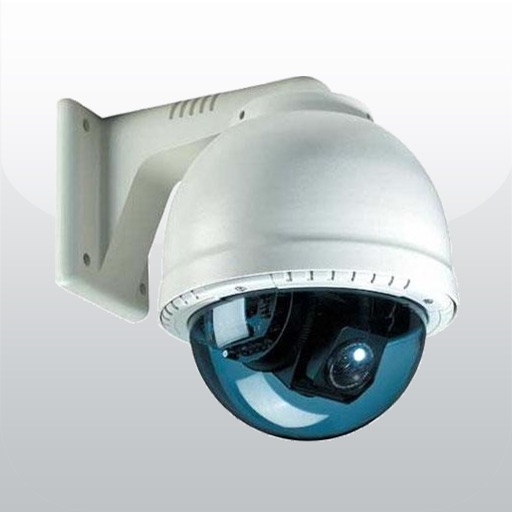
The app allows users to view IP camera video streams on iPhone. It supports registering up to four cameras and viewing them in a four-channel layout, with features like full-screen mode, snapshots, and digital zoom.
by Acontech, Inc.★ 1.01 ratingsUtilitiesFreeData updated 2026-09-18
Control your camera remotely with . Adjust settings like aperture, shutter speed, and ISO. Use Smart Mode for automatic scene recognition and setting optimization. Trigger focus and exposure adjustments. View live preview and review captured photos.
Record video and audio from both external and internal cameras during a crash. Automatically capture footage for accident documentation. Sync with Uber to share relevant clips directly.
Auto-launches when connected to . Provides photo viewer, video player, music player, and document preview. Manages files between Apple devices and . Backs up Camera Roll instantly. Displays real-time storage information.
The app allows users to remotely view, control, and record IP cameras, webcams, DVRs, and NVRs using an iOS device. It supports various protocols and offers features like digital zoom and grouping of cameras.
Remotely view and control IP cameras, webcams, DVRs, and NVRs. Record video with motion detection and email alerts. Playback and export recordings. Use 2-way audio for baby monitoring. Supports RTSP, ONVIF, and H.265 protocols.
View live video feeds from compatible security cameras. Search and playback recorded footage from anywhere using a smartphone. Control camera settings and receive motion alerts through the .
Allows users to view live video feeds from IPC and DVR cameras via cloud login using a serial number or QR code. They can play local recordings, take snapshots, search for images, and control PTZ cameras.
Enables remote monitoring across multiple locations. Users can set recording schedules, receive alerts for camera health issues, and access live feeds. AI features detect people, vehicles, and animals in real time.
View from photos and videos including pixel dimensions, orientation, and EXIF data. Display technical details like resolution and file format. Access information regardless of camera brand or source.
Monitor with real-time HD video streams from connected cameras. View live footage and access recorded clips. Receive motion alerts and customize settings. Manage multiple devices and check network status for optimal performance.
The app allows users to monitor homes, offices, or stores remotely. Users can view live video, communicate via two-way audio, and control camera functions like pan, tilt, and night vision.
Stream recorded footage from cameras to mobile devices via Wi-Fi. Download and manage video files. Connect to supported models for real-time streaming and file transfer.
Record videos with front and rear cameras, capture audio via microphone, and save as files. Switch between cameras during recording. Manage subscription renewals and view payment details.
Lets users organize, move, rename, and delete . Built-in viewer supports all iOS document types. Includes advanced PDF reader and photo browser. Integrates with Dropbox for cloud storage. Web browser enables offline document access and saving.
Remote control four-axis aircraft via iOS device. View real-time video from the aircraft's camera over 2.4G WiFi. Capture photos and videos from the mobile phone. Enable Trajectory Flight mode. Use Voice Control mode for commands.
Capture photos and videos with extended digital zoom capabilities. Record in 4K, FullHD, HD, and support JPEG, HEIC, TIFF, Raw, and ProRAW formats. Choose from extended video formats and stabilization modes.
Connect to iOS device camera for live streams and meetings. Use manual controls for settings. Draw and add text via voice on video feed. Pause video to annotate. Stream via USB, HDMI, or AirPlay to Ecamm, OBS, or Zoom.