The app converts PDF files to various formats including Word, Excel, and iWork Pages. It preserves original formatting, text, and images during conversion.
by Shenzhen Wondershare Software Co., Ltd★ 0.00 ratingsProductivity$39.99Data updated 2026-09-17
Edit and convert PDF files by removing or rotating pages, merging multiple files, or splitting documents. Convert Word, Excel, PowerPoint, web pages, and images into PDF. Compress large PDFs for easier sharing. Export edited files in various formats.
Documents or images to create high-definition PDFs. text using OCR technology. Organize and manage files with drag-and-drop functionality. Convert PDFs to editable formats and share files directly.
The app converts PDF files into Pages, Image, and Text formats. It preserves original PDF formatting and layout in the output documents and supports conversion of specific page ranges.
Edit PDFs by directly modifying text. Scan and convert documents to PDF. Organize files, add annotations, and sign documents. Share and export in multiple formats. Sync across iPhone, iPad, and Mac devices.
Scan documents quickly and to TXT, PDF, or JPEG formats. Save and organize scanned files. Share documents directly via email or messaging apps. Edit scanned images and add notes. Sync files across devices.
Convert documents to various formats with batch processing. Edit and annotate PDFs. Export as images, Word, Excel, or PowerPoint. Compress files and share via email or cloud storage.
Convert PDFs to editable formats like Word, Excel, and images while maintaining quality. Edit documents with text formatting and annotations. Create custom stickers with text and graphics to personalize messages.
Convert images, documents, and PPT files to PDF. Draw on images and convert them to PDF. Merge files and add custom watermarks. Perform conversions quickly without draining battery or overloading device performance. All features are free with no ads.
, IDs, and books to extract text and images. Edit scanned content with rich tools. Export to office formats like PDF and Word. View and annotate scanned files. Convert between formats.
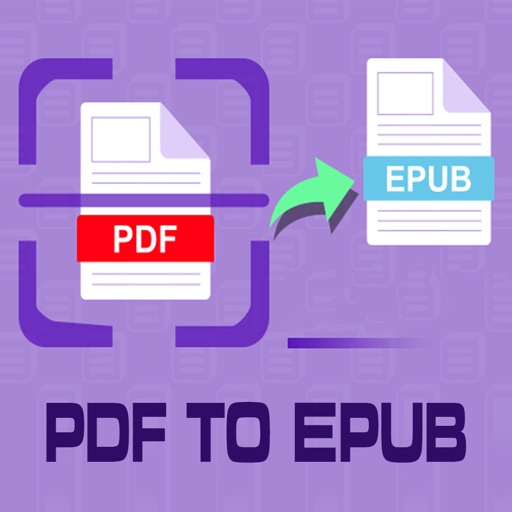
The app converts PDF files into 16 document formats, including Microsoft Office, iWork, EPUB, and image files. It extracts text from scanned PDFs for editable documents.
Convert PDF files to format for mobile reading. Edit text, adjust fonts, and customize margins. Export as and share or save to device. Supports iPad, iPhone, and ebook readers.
HONG KONG SENRONG IMPORT AND EXPORT TRADING CO., LIMITED
Merge PDFs, split pages, convert files
Convert documents, images, and files to PDF with one tap. Split PDFs by page, merge multiple files into one, and export pages as high-resolution images. Create PDFs from images and convert PDFs to image formats.
, receipts, and IDs using a fast document . Edit scanned files, add signatures, and convert to PDF. Share files directly or save to cloud storage. Organize and manage digital securely.
Compress and extract ZIP, RAR, 7Z, and other archive formats. Support password-protected and AES encrypted files. Compress photos and videos. View and manage archive contents. Share compressed files directly.
PDF viewer allows users to read PDFs with Liquid Mode for enhanced clarity. Annotate pages with various tools. Star files for quick access. View recent files in a dedicated list. Manage files and sync with cloud services. Sign documents directly.
View, edit, and annotate PDF files on iOS devices. Add comments, highlight text, and adjust formatting. Convert handwritten notes to text using OCR. Access AI Assistant for advanced editing tasks. Share edited documents directly.