A music that displays 1.5 octaves on the screen for tubular bell playback. Includes a recording function that captures surrounding sounds. Allows users to record vocals or voice memos and send recorded data via email.
by YUJI HASEBE★ 4.01 ratingsMusic$2.99Data updated 2026-09-08
Create music by touching the screen to play notes and adjust sounds. Use multi-touch surfaces like radar, ribbon, or keyboard. Move fingers to modify tones. The semi-generative engine selects suitable notes automatically.
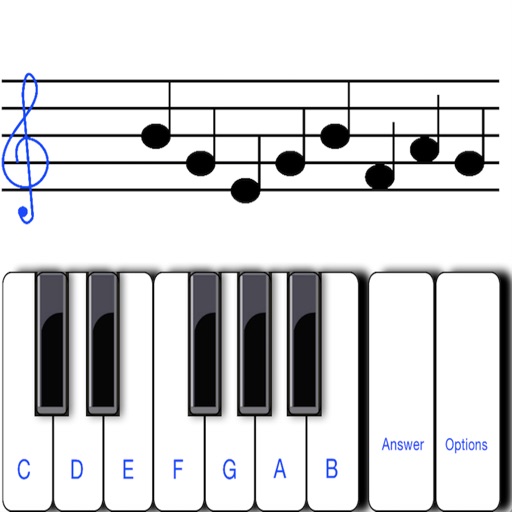
To sight notes in G and F clefs. Practice notes across six octaves, including those above and below the staff. Randomly generated notes apply to any instrument. Switch clefs for varied practice. Beginners can limit octaves and set their pace.
Create music using touch-based sampling and gesture recording. Explore samples for melodies and textures with various play modes. Record compositions and experiment with audio in real-time.
Create and customize ringtones and alert sounds. Record and edit voice clips. Adjust fade-in/fade-out durations. Manage and delete ringtones. Sync with iTunes for file sharing. Export ringtones in various formats.
Play audio and sound effects simultaneously. Start shows with a single press. Supports iPad, iPhone, and iPod touch. Free for one show; purchase for unlimited shows. Used for theater, dance recitals, weddings, and church services.
Manage and play audio files directly on Apple Watch. Add files from various sources. Organize by albums and artists. Create playlists and mark favorites. Control playback speed and resume positions.
Adjust files by changing tempo and pitch in real time. Select files, mark playback regions, loop, and adjust and pitch on the fly. Export modified files. Suitable for practicing instruments, transcriptions, and audiobook adjustments.
Record and edit audio with waveform visualization. Add effects like high pass filters. Insert recordings from other files. Save and share edited audio files.
Create musical sketches and chiptunes using a pattern-based sequencer and high-quality sampler. Record sounds from microphone or line-in. Export in WAV or XM formats. Import and export audio files. Support MIDI keyboard input.
Create drum sounds and synthesize vocals using a 24-part sound engine. Use a pattern sequencer to arrange beats. Apply effects including a Phrase Vocoder that converts text to vocal-like sounds. Adjust vocal characteristics such as gender.
The app generates sine waves, square waves, triangular waveforms, saw tooth waveforms, and impulse sound waves. It supports frequencies from 1Hz to 22kHz and can generate up to 16 tones simultaneously.
The app plays monophonic melodies and converts them into music notation. Users can edit scores, change playback sounds, and share results via email, Twitter, or Facebook.
Record audio with unlimited time and organize recordings through search and sorting. Add notes and comments. Share files directly. Sync with Dropbox for automatic backup. Use Today widget for quick access.
Play files from local storage or services like Google Drive, Dropbox, and OneDrive. Import tracks via WiFi, iTunes, or iCloud. Support multiple audio formats including MP3, FLAC, WAV, and AAC. Listen without internet connection.