
Apps Like pdf-notes for iPad for iPhone and iPad
Turn pages, write notes, email files
Manage files on with fast page turning and content scanning. Annotate documents with finger-writing. Email notes to friends. View and organize PDFs efficiently.
pdf-notes for iPad screenshots
Ranked alternatives
Showing 261–280 of 1,000 ranked alternatives.


PDF Editor, Edit PDF Documents
TROSTUN LTD
PDFs, annotate, and share
View, , sign, and annotate PDFs directly on iPhone and iPad. Add text, highlights, and comments. Share files via email or cloud services. Organize and rename within the . Export modified PDFs in original format.

Convert Images To Pdf!
Ali Umer
Photos to PDFs instantly
Turn photos into PDFs by importing from Camera, Photos, or Files. Crop, straighten, and rotate pages. Apply one-tap filters like Grayscale or Sharpen. Set page size, margins, and DPI. Estimate file size and merge or split PDFs.


PDF Scanner: Convert & Editor
Walrus Holdings(Hong Kong)Limited
Documents, edit PDFs, sign files
Scan documents, receipts, or notes into high-quality PDFs using the camera. images or documents into PDFs with simple taps. Edit PDFs by adding, removing, or rearranging pages. Sign and annotate documents directly.

Notate PDF for Intune
Shafer Systems LLC
Edit and annotate PDFs securely offline
Edit and annotate PDFs and Microsoft Office files with commenting, highlighting, and form filling. Collaborate in real time with secure file sharing. Access documents offline and sync changes when connected.





PDF Read
世木 林
View and manage PDF documents easily.
The app provides a PDF document viewer with features for annotation, highlighting, linking, sharing, and printing. It supports adding PDF documents via iTunes file sharing or a desktop browser and includes library management.
Write Only
潮激 李
Focus on writing, not editing.
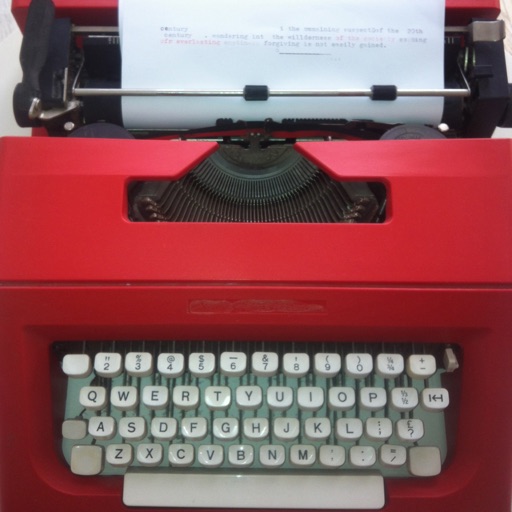
The app allows users to write on their iPad or iPhone like a typewriter. It separates writing from editing to help users focus on their ideas.



PDF Slicer N Splicer
SUPERNOVA TECH
Split and merge PDF files easily.
The app splits PDF files into multiple files and merges selected PDF files into one. It supports importing documents from cloud drives, web browser, and other apps, then uploading them after splitting and merging.
How we rank alternatives
Apps are ranked by functional similarity, category fit, rating confidence, and popularity.