
Photo Flip & Rotate
文睿 李
Simple image editing for everyday use.
The app offers common image editing features like flipping, rotation, and filters. Users can crop, scale, and save edited images to their photo album.

Save photos, edit images, reduce size
Reduce photo size using 10 predefined levels or custom dimensions. Crop images to any position and size. Rotate photos in 90-degree increments or straighten them. Adjust orientation and export edited files.
Showing 241–260 of 1,000 ranked alternatives.
文睿 李
Simple image editing for everyday use.
The app offers common image editing features like flipping, rotation, and filters. Users can crop, scale, and save edited images to their photo album.


Nanjing Diant Network Technology Co., LTD
Create collages, edit photos, add stickers, design
Create collages using free layouts and grids. Add stickers, text, and backgrounds. Edit photos with cropping, flipping, and layering. Save and share finished collages or stories. Generate wallpapers from edited images.

Nicholas Bedford
Edit photos, add text, share online
Edit photos with text layers, borders, matting, rounded corners, 3D bevels, and shadows. Adjust cropping ratios and apply internal and external shadows. Share edited photos directly to social media.

Appwallet Technologies Private Limited
Add frame to Instagram profile pictures
Add frames, patterns, colors, and blur effects to profile pictures. Adjust background color and apply instant DP borders. Resize and rotate images for Instagram. Post full-size photos without cropping. Create images for social media.

Nick Culbertson
Share photos with effects and frames
Edit photos with multiple props, frames, and effects. Apply presets and overlays. Capture photos in portrait, landscape, or square orientation. Share images directly to social media. Supports iPad, iPhone, and iPod Touch.

Uchharang Radadiya
Edit photos and videos professionally
Edit photos with grid layouts, brightness, contrast, and saturation adjustments. Apply filters to enhance images. Create collages with multiple layout options. Export edited photos in various formats.

惠满 贺
Edit photos with , focus, and color
Edit photos with filters, adjustments, and effects. and focus areas with finger movements. Crop, rotate, and add text or stickers. Adjust tone curves and apply splash effects. Save and share edited photos to social media.


Mireia Lluch Ortola
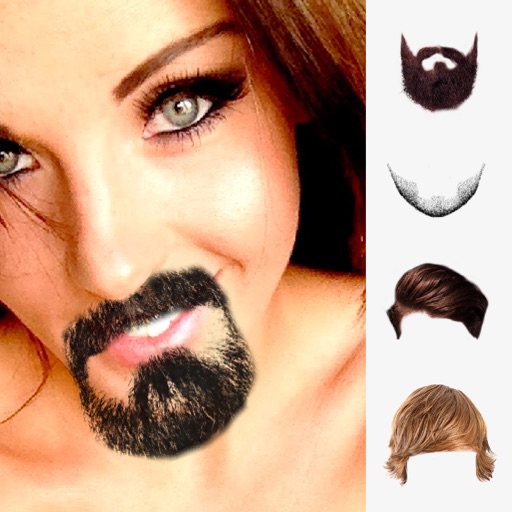
Add and crop photos
Edit photos by selecting from the gallery or using the camera. Add and adjust their position, size, and rotation. Crop images by dragging or scaling with two fingers. Share the edited photo directly.


Dongwook Cho
Add to photos and videos
Add to photos and videos. Adjust lens blur, size, position, and shape. Apply cinematic filters. Crop and rotate images and footage.

Thom Ritterfeld
Create, save, and share dot art
Create custom images by adding photos as backgrounds. Touch to draw dots and customize designs. Save creations and share via social media or messaging.


Umut Can Arslan
Edit photos, size, and create visa-ready images
Create passport, ID, and visa photos with auto face detection and AI background removal. Resize images to exact dimensions for official use. Use preconfigured templates for visa, green card, student ID, and driver’s license photos.


Thomas Backes
Paint on photos
Edit photos by applying filters and adding effects. Choose from 11 types and adjust brush sizes for detailed application. Zoom and pan using two fingers, or draw with a single finger. Save and share edited photos directly.

Andy Sutanto
Compress images and save space
Compress images to reduce file size without losing quality. Select photos, documents, or URLs. Compress multiple files at once. Adjust compression settings for optimal results. Share compressed images directly.
Apps are ranked by functional similarity, category fit, rating confidence, and popularity.