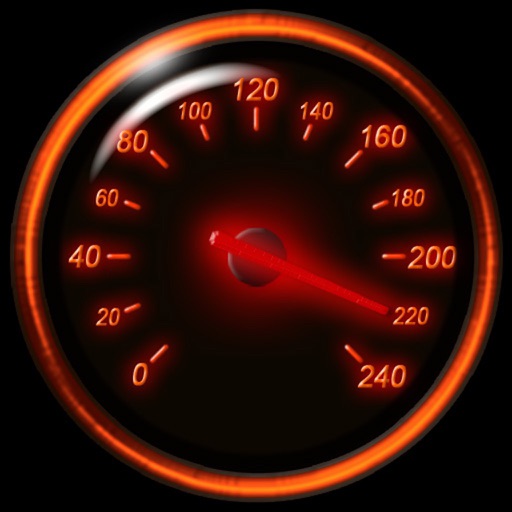
Track speed using iPhone's GPS. Display speed in mph or km/h based on region settings. Show max and average speed. Choose between digital and analog display styles. Monitor speed during car, bike, running, or riding activities.
by FAPPS WORLD et Cie SCS★ 4.6180 ratingsNavigationFreeData updated 2026-09-08
Track speed, distance, and trip data using GPS. Switch between analog and digital modes. Monitor mph, km/h, or custom units. Record trips and view historical data. Sync with Apple Health for activity tracking.
Calculate and store bowling using visual timing. Input pitch length for accurate results. Display in KM/H or MPH. Track fastest and slowest balls. View average . Analyze live matches or videos for detailed performance insights.
Record , time, distance, heading, and elevation during trips. Track GPS data and view trip statistics. Enable head-up display for real-time information on the windshield. Sync with devices and save trip details for later review.
Measure levels in decibels using the device’s microphone. Display real-time audio frequency and dB readings. Apply filters for specific frequency and dB ranges. Share measurements via Messages, Email, WhatsApp, Notes, and other apps.
View current in mph, km/h, knots, and other units. Display altitude above sea level. Track max and altitude during trips. Monitor distance traveled in trips. Check on Apple Watch. Pro upgrade unlocks custom colors, HUD mode, and ad removal.
Track with real-time alerts when exceeding set limits. Choose between KM/H or for customizable units. Display in multiple formats including analog and digital dials. Share data via email or social media. Set and adjust limits remotely.
Track , distance, and performance with real-time GPS data. Display in mph and km. Log trips and view historical records. Set alerts and monitor journey details. Sync data across devices for ongoing performance analysis.
Monitor current, average, and top in real time using GPS. Switch between mph and km/h. Track during driving, cycling, running, or outdoor activities. Display data clearly and continuously.
Monitor speed and distance with real-time GPS tracking. Switch between car and bike cyclometer. View average and max speed. Adjust units to mph or km/h. Check GPS accuracy and distance precision. Track time elapsed and altitude.
Displays speed and distance using GPS. Tracks maximum speed with vibration alerts. Shows position and time of maximum speed on a map. Switches between light and dark modes. Notifies of GPS measurement errors. Supports motorcycles, cars, and planes.
Track speed and total miles during trips. Monitor max and average speed. Save trip history and export as a spreadsheet. Switch between miles and kilometers. Continue counting miles and time in background while using other apps.
Track speed, distance, elevation, and weather in real time. View travel time estimates. Access a Heads Up Display for quick information. Monitor trip details and receive alerts for speed limits and road conditions.
Measure speed using GPS with a digital , head-up display projection, and tracking of average speed, distance, and travel time. Log data offline, adjust settings, and access a user-friendly interface for one-handed use.
Track with high-precision GPS. Record trips and display real-time data on a head-up display. Receive speeding alerts. Navigate with integrated map support. distance, time, and elevation. Share trip data.
The app provides a heads-up display for a car, offering GPS-based speed information with MPH and KPH options. It includes digital and standard font modes, 12 and 24-hour clock options, and portrait and landscape orientations.
Track vehicle speed with a digital speedometer showing current, average, maximum speed, and total distance. Use offline mode for uninterrupted performance. Access two HUD modes for windshield display. Choose from 10 themes for customization.
Track speed with GPS precision for driving, cycling, running, or walking. View real-time speed in mph, km/h, or knots. Log trip details including distance, time, and average speed. Customize display settings for different activities.