Practice subitizing by recognizing dot patterns from 1 to 10. Choose patterns based on dice or 10-frames. Adjust display time and dot range. Use two colors for patterns. iPad version supports up to 20 dots and two 10-frames.
by Randy Hengst★ 5.01 ratingsEducationFreeData updated 2026-09-08
The app helps users learn the Quran by heart with a repetition pattern designed for retention. Users can configure repetitions and control playback speed for a personalized learning experience.
Track progress on knitting projects with built-in project management. View color-coded charts and click stitches for detailed instructions. Access workshop-style guidance and manage materials needed for each project.
Help users identify and manage anxiety through guided exercises and coping strategies. Track mood and triggers. Access calming activities and progress reports. Learn CBT techniques through structured lessons and interactive scenarios.
Tap and bouncing dots to collect them. Improve eye-hand coordination through interactive gameplay. Features simple animations and intuitive controls. No ads. Suitable for infants and young children.
Connect to student organizations, find campus activities, and check into events. View event details, RSVP, and receive updates. Login with Campus Connect credentials to access personalized content and manage participation.
TOYA TAP: PRESCHOOL AND KINDERGARTEN FREE LEARNING PUZZLES GAMES FOR KIDS TODDLERS LTD
Learn numbers, count, and solve math problems
Teaches number recognition, counting, and quantity relationships through interactive activities. Includes sorting, matching, and sequencing exercises. Provides feedback and progress tracking for learning outcomes.
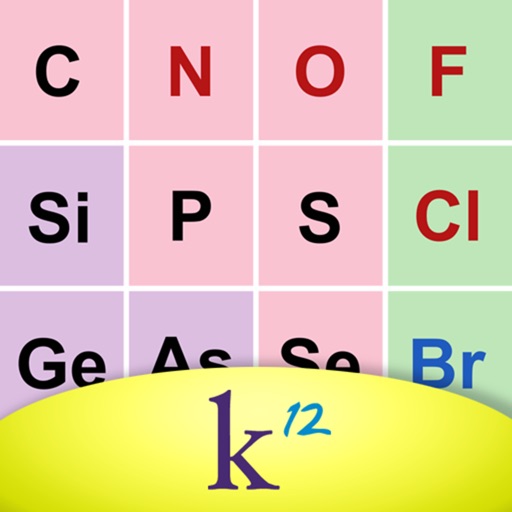
Explore with swipe and touch to view details like name, symbol, atomic number, mass, Lewis dots, and radius. Colors indicate classification, melting point, boiling point, outermost orbital, and ion radius.
Access content with video lessons and discussion guides. Track progress through weekly modules. Share insights and connect with other users in community forums. Receive daily devotionals and scripture reflections.
Decrypt encrypted quotes by substituting or . Solve puzzles based on famous movie, celebrity, and historical quotes. Track progress and compare scores with other players.
Guess words by combining dots. Adjust difficulty levels and track progress. Compatible with screen readers and multiple input methods. Includes accessibility features for visually impaired players.
Play sequences of colors and sounds, then replicate them by tapping. Track progress with high scores and compare with others. Improve visual and auditory memory through repeated gameplay.
The app helps children master letter sequencing from A to Z through vibrant colors and delightful dot popping. It offers an engaging and visually stimulating way for children to recognize letters and their order.
Learn and practice Morse Code by touching the screen to generate tones. Adjust tone frequency from 300 Hz to 1200 Hz and control volume. Send dots with short touches and dashes with longer holds.
Find of varying lengths from letter groups. Identify keywords (yellow dots), common (white dots), and bonus (blue dots) to progress through 100 levels. Complete all levels to finish the game. Track word frequency to determine level difficulty.
Practice TOEFL® with past exam papers and high-quality audio. Choose from three display modes for customized study sessions. Use sentence-by-sentence playback, adjust speaking speed, and capture on-screen words for focused review.
Play through 24 unique puzzles with adjustable difficulty levels from 2 to 30 pieces. Paint custom puzzles by hand or import images. Interact with characters and solve challenges to progress through the game.