Decode aviation NOTAMs by entering Q- letters. Display associated subject, component, and condition codes. Provide detailed information for flight planning and safety.
by Lonnie Ganz★ 3.02 ratingsNavigationFreeData updated 2026-09-08
Control locomotives with DCC decoders via Bluetooth. Adjust speed, direction, and sound effects. Manage multiple trains simultaneously. View real-time status and send commands through a mobile interface.
Scan QR codes or barcodes by pointing the camera at them. Automatically detect and recognize codes without manual input. nd share QR codes for links or contact information. Access event tickets or product details instantly through scanned codes.
Scan QR codes, barcodes, and other types with instant recognition. Save scan history for future reference. Generate QR codes for personal, business, or shopping purposes. Compare product prices and reviews by scanning barcodes.
Generate QR codes by entering text, URLs, or contact info. QR codes using the iPhone camera or gallery images. View scanned data instantly. Share or save QR codes directly. Edit code size and color for customization.
QR scans QR codes using the camera or from images. It displays scanned data like Wi-Fi passwords, emails, or GPS coordinates. Users can save results, open websites, add contacts from business cards, or create calendar events.
The app decodes Morse code using the device's microphone. It employs FFT technology to detect and decode carriers, minimizing false decodes from noise.
Read and generate QR codes to access URLs, contact information, and files. Scan 1D and 2D barcodes including QR , Data Matrix, EAN8/13, and 39. Save scanned data to device storage. Share scanned content via email or messaging apps.
Scans all standard 1D and 2D codes. Displays product details from Google, Amazon.com, and Amazon.co.jp. Allows quick scanning without requiring an internet connection. Shows pricing and availability information.
Decode and interpret OBD2 fault codes with detailed definitions and explanations. Search for specific DTC codes, view associated symptoms, and access AI-powered insights. Sync with OBD2 scanners for real-time diagnostics and troubleshooting.
Manage two-factor authentication with OTP codes. Add accounts via QR scan or manual entry. Support multiple platforms including Instagram, , Facebook, GitHub, Twitter, Binance, and Salesforce. Enable biometric login for secure access.
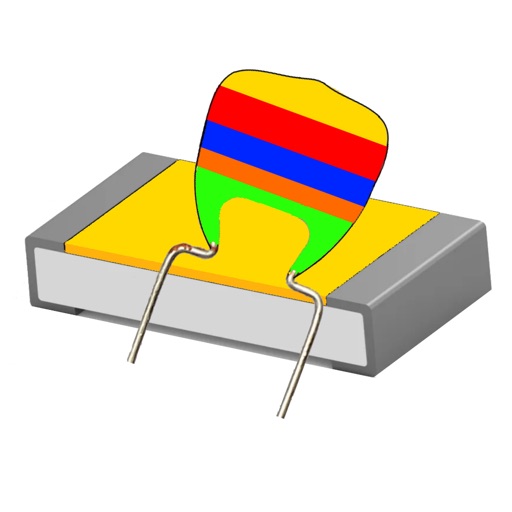
ElecKit provides tools for calculations. Users can calculate resistor values with 4/5 band codes and tolerance. It includes Ohm’s Law functions for voltage, current, resistance, and power.
Decode SNOWTAM reports and manage de-icing operations using FAA, EASA, and Transport Canada holdover time guidelines. Access degree-specific holdover times for eligible operations.
Scan QR codes or barcodes using the camera or photo library. Create QR codes for text, links, or contacts. Share generated codes directly or save them for later use.
Create and scan QR codes and barcodes instantly. Generate custom codes for WiFi, websites, contacts, or business promotions. Scan existing codes and product barcodes quickly. Share generated codes via links or direct export.
Calculate values by entering the EIA code or desired value. Determine color rings based on capacitance. Support SMD capacitors and convert between codes and values.
Scan QR codes and barcodes to access menus, product details, or online content. Create custom codes to share information or promote products. Share generated codes via email, messaging, or social media.
Scan QR codes and barcodes with automatic action execution. View scan history and customize advanced settings. Support for multiple types and straightforward interface for quick use.
Create QR codes from URLs or text. social media profiles, WiFi connections, and event details via QR. Save QR codes as images or send through LINE, email, or chat apps.