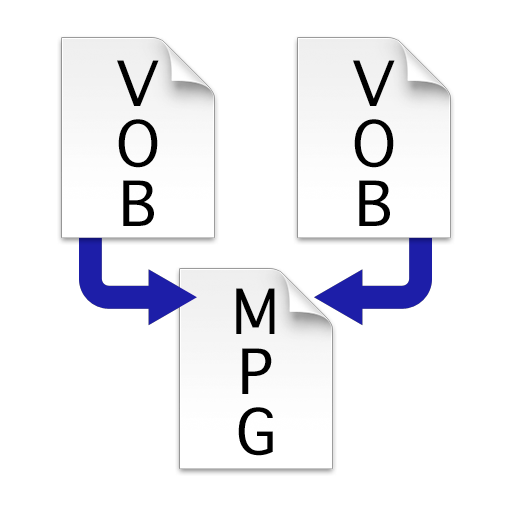
Combine multiple VOB files into a single MPEG file without re-encoding. Merge VIDEO_TS folders to create one large video file. Save and export the merged file for playback or transfer.
by Thomas Günzel★ 0.00 ratingsPhoto & Video$0.99Data updated 2026-09-08
PDF files into one document with fast merging speed. Combine multiple PDFs without losing content or quality. Split PDFs into individual pages. Securely save and share merged files. Edit text and add comments within PDFs.
Organize files, delete duplicates, manage contacts
Remove duplicate and similar photos, videos, and files. Organize contacts by merging duplicates and sorting entries. Delete unnecessary data like old screenshots and large videos. Manage storage by analyzing file sizes and suggesting deletions.
Store, view, and manage files on iOS devices without a Mac or PC. Transfer files wirelessly and backup contacts. Access a document viewer, file manager, voice recorder, and text editor. Perform operations like delete, move, copy, and email files.
Transfer and view files between iOS devices and MAC/PC without Wi-Fi or network connection. Edit and manage documents, images, video, and audio across multiple platforms. Organize files and share directly between compatible gadgets.
Browse files to view documents, pictures, and videos. Manage files with folder creation, text file editing, and media playback. Hide private files within the for secure storage and isolation.
Compress videos to reduce file size without quality loss. Edit videos and photos with trimming, cropping, and filters. Batch compress multiple files at once. Save and share compressed videos directly.
Secure internet browsing with encryption to protect data privacy. Connect to servers with one click. No registration required. Simple interface for quick setup and usage.
The app allows users to merge multiple videos and photos into a single movie. Users can add text layers, apply filters, and include custom shape overlays for a professional look.
Merge PDF files by combining two or more documents into one. using multiple options. Extract even or odd pages into separate documents. Delete specific pages. Access dark mode for better visibility.
Compress videos to save storage space without quality loss. Reduce file size for faster uploads. Share compressed videos with friends and family. Compress single videos or up to 20 at once.
Transfer files between devices and iOS. Backup contacts, camera roll, calendar, and social media data. Sync photos and documents across platforms. Manage files with drag-and-drop interface.
Convert PDFs to images and images to PDFs. Merge multiple PDF files into one. Edit text and annotations. Export in various formats. Share and organize documents directly.
And decompress files with ZIP and RAR formats. View and open documents like PDF, DOC, and images. Create folders and manage storage. Access file viewer and organize files efficiently.
Allows users to compress and photos to reduce file sizes quickly. It supports direct compression on the device without uploading to external servers. Users can adjust compression settings for and photos.
Smart Photo Cleaner automatically detects and removes duplicate or similar photos. Video and Image Compression reduces file size without sacrificing quality. Organize contacts and manage to improve device performance.
The app displays technical information about video, audio, and photo files. It supports numerous file formats and allows users to compare collected data.
Videos by selecting a file and setting a target size. Reduce file size to save storage space. Maintain quality during compression. Share compressed videos quickly. Export compressed videos for use on devices or online.
Convert PDF files to Word, Excel, PPT, Txt, and vice versa. Delete, organize, lock, or unlock PDF pages. Split or PDF documents. multiple files into one. Add signatures and edit text within PDFs.
The app unarchives files in multiple formats including .zip, .rar, and .7z. It also supports file management through Wi-Fi transfer, iTunes File Sharing, and remote browsing.