Create and animate 3D sculptures in real space using AR. Manipulate colorful ribbons with gestures to shape dynamic elements. Overlay creations on real-world scenes via camera. Share interactive art directly from the .
by Interval Studios Inc★ 4.79 ratingsEntertainmentFreeData updated 2026-09-08
Create art by blank pages or using provided templates. Choose from hundreds of pages in different styles. Access high-definition images and textured materials. Save and share completed artwork.
Create collages by combining photos with 100+ templates. Apply filters, add text, and share directly. Edit and arrange images with simple gestures. Save and export in various formats.
Play a 3D augmented reality game using a smartphone camera. Throw at targets to score points. Compete with others in real-world environments. Track progress and practice throws for improvement.
Explore AR experiences and discover hidden digital
View images with augmented reality to reveal hidden digital content. Explore interactive stories and brand narratives. Tap to access additional media and learn about products or campaigns. Share discovered content with others.
Create and control characters using facial expressions and voice. Place zombies in real-world environments with augmented reality. Record and share videos featuring talking, blinking, and expressive zombies.
Create and customize tracks using a grid-based editor with pixel-art style. Design mazes with corridors, walls, teleports, and breakable barriers. Set up challenges and physics-driven competitions.
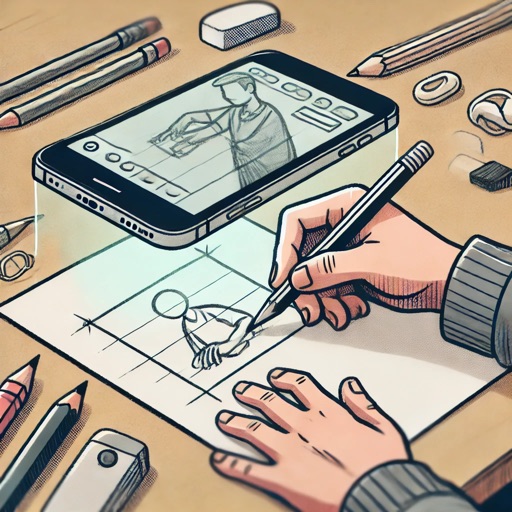
Children can draw using step-by-step templates in cartoon and kawaii style. They can choose colors, add stickers, and save their artwork. The includes guided exercises and a safe, child-friendly interface.
The app transforms user images into watercolor art with liquid color pools and delicate details. It offers two professional-quality aquamedia styles, a randomize color button, and numerous styles for customization.
Create 3D avatars from selfies using AI technology. Adjust facial features and expressions. Animate avatars for use in chat or social media. Save and share customized models.
Create art using AI-generated visuals based on text prompts. Adjust colors, styles, and compositions. Save and share . Collaborate with others on creative projects. Export in various image formats.
Create digital paintings from text prompts and art style selections. Choose from styles like Van Gogh, cinematic, or Ghibli. Generate images based on user input and artistic preferences. Edit and refine generated artwork within the .
Explore five distinct worlds to uncover objects and solve puzzles while racing against time to restore Margaret's . Navigate through interactive environments, collect fragments, and unlock clues to progress through the .
Draw on lock screens in real-time with contacts. Collaborate on artwork instantly. Share drawings and messages directly. View and respond to each other's creations. Sync drawings across devices for shared experiences.
The app combines music, art, and science for a relaxing experience. Users can guide star flow with multiple fingers, creating up to 10 different animations based on touch points.
Create digital art with customizable brushes and layers. Adjust brush settings for pressure and flow. Use Apple Pencil for precise strokes. Save and export artwork in various formats. Import images for tracing or blending.
Explore augmented reality art experiences by overlaying digital artworks onto physical pieces. View curated digital art from the Landen Prather Fine Art Gallery. Interact with unique AR pieces and view artist information.