Transfer photos from iPhone or iPod touch to Mac via local network. Automatically receive images taken with or Free. Save photos directly to Mac computer. Use iPhone as a wireless webcam for Mac.
by Hans Schneider★ 0.00 ratingsPhoto & VideoFreeData updated 2026-09-08
View and edit metadata and geotagging in photos. Remove metadata to protect privacy. Manage photo information across iPhone, iPad, and iPod Touch. Sync data seamlessly between devices. Export edited files directly.
Create before-after images by selecting two photos. Automatically arrange them in an optimal layout. Add customizable borders and a professional watermark. Include censor-bars on eyes for privacy. Share the final image directly.
The app offers a free chess game playable on iPhone, iPad, or iPod Touch. Players can compete against the computer or challenge friends in a multiplayer mode.
Use iPhone as with zoom features. Take photos using high-quality overlay. Choose from various overlays to customize appearance. Adjust camera view for zoom in and out. Capture images directly from the camera.
Generate images from text using AI models like Imagen 3, Flux, and Seedream. Edit and refine visuals with AI tools. Export images for social media, stories, or other formats. Collaborate across devices with iPhone, iPad, and Mac.
The app offers over 350 hand-drawn pictures for coloring, supporting hand-eye coordination development. It automatically saves progress and allows saving finished pictures to the Photos library.
Write on images using built-in fonts, backgrounds, and colors or upload custom fonts. Save images as editable documents for reuse. Undo and redo changes. Sync across iPhone, iPod Touch, and iPad.
Cast screen content to a computer with high quality and low latency. Mirror iPhone or iPad display on a larger screen. Use device as an HD webcam for Windows or macOS. Connect and cast without additional hardware.
Control VIERA TV models from 2011 to 2018 via Wi-Fi. Adjust volume, channel, and input settings. Transfer media files including pictures, videos, music, and websites to the TV.
Play the card game against 3 computer opponents. Set opponent skill levels. View point and score totals on screen. Large, clearly arranged card faces for accurate single-click selection. No ads or tracking.
Photos by tapping to automatically backgrounds or specific objects using AI. Select images from the library or camera. Adjust intensity and apply effects to hide unwanted details. Export edited photos directly.
Adjust image quality in real time during webcam use. brightness, contrast, and saturation. Adjust exposure and white balance. Save settings for quick recall. Works with Skype and other webcam applications.
Sync selected events and photos between device and Mac or Windows PC. Import EXIF and IPTC data including event details, descriptions, and keywords. Browse and search photos by event or description. Connect via WiFi LAN using desktop editions of .
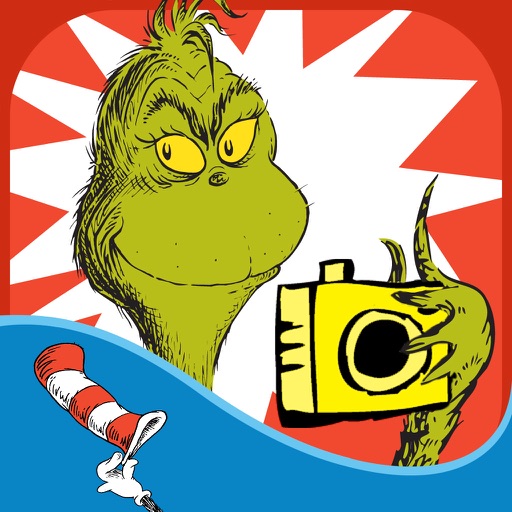
The app allows users to create Grinchmas cards using Seuss characters. Users can personalize cards with stamps, borders, and text, then share them via social media or save them.
The app allows importing photos and videos from a Mac or PC using iTunes File Sharing. Files are transferred to the iPhone's Camera Roll at full resolution, supporting RAW+JPEG and Live Photos.
Access cheat codes and tips for GTA San Andreas on PlayStation, Xbox, PC, and Mac. View and mark missions with detailed guides. Manage player, world, and vehicle . Track progress and reference in-game content.
The app adds different types of mustaches to face photos. It automatically adjusts the color and brightness of 16 different mustaches for a realistic result.
Cast content to Windows, Mac, Smart TV, Apple TV, or a web browser. Receive from other devices. Support landscape and portrait modes with ratio preservation. Enable real-time with low latency and sync audio-video. Mirror multiple phones to one PC.
Visualize audio in real time with customizable backgrounds and logos. Export visualizations as videos. Select and analyze audio files directly on phone or Mac. Adjust settings to modify animation styles and layouts.
The app adds date, time, and location marks directly onto photos when they are taken. It can also identify shooting dates for older photos, even those taken with other digital cameras.