
PicMix Lite
Voxeloid Kft.
Merge photos, edit with brush, create art
Merge multiple photos into a single artwork by selecting and combining image sections. Remove or re-add parts using finger painting techniques. Adjust brush settings for precision.
Create paintings stroke by stroke
Create paintings by generating strokes automatically. Adjust brush size and color. Animate the painting process. Start from an empty canvas and refine details manually. Export artwork in various formats. Share finished pieces directly.
Showing 101–120 of 1,000 ranked alternatives.
Voxeloid Kft.
Merge photos, edit with brush, create art
Merge multiple photos into a single artwork by selecting and combining image sections. Remove or re-add parts using finger painting techniques. Adjust brush settings for precision.

Aleksandr Komarov
On paper, edit with tools
Create digital art using tools like paper, brushes, pencils, pens, and markers. Adjust brush pressure and opacity. Layer artwork and apply textures. Export in various formats and share directly.
Informe Laboratories, Inc.
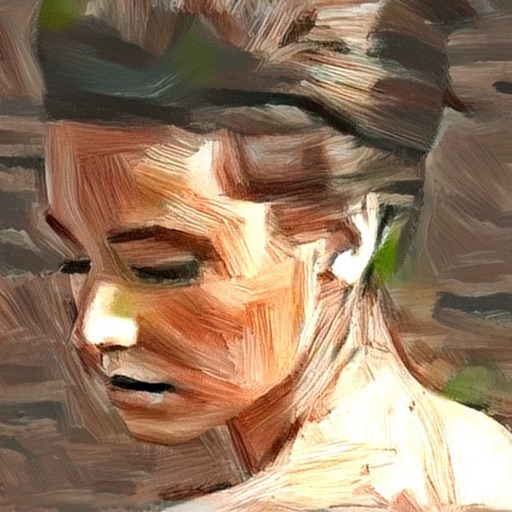
Create portraits with AI-generated art
Turn photos into artistic portraits using AI-generated styles inspired by famous paintings. Choose from various art techniques and adjust details. Save and share the final artwork in different formats.


Anatoly Weinstein
Paint with brush and sketch
Create art with a brush that generates unique curves not found in other drawing tools. Use adjustable settings to customize brush behavior. Draw freehand or use predefined patterns. Export artwork in various formats and share directly.


Marco Antonio Pompei
Draw with simple strokes
Create mandala paintings using vector-based tools. Zoom smoothly for precise details. Choose from various colors and brush styles. Save and share drawings directly. Adjust layer settings for customization.
Studio Mee
Photo analysis redraws from scratch
The app analyzes a user's photo and redraws it stroke by stroke on a blank paper. This free version has limitations including 1 megapixel output and no color sketches.

snowCanoe
Paint, draw, and sketch anytime
Create paintings, drawings, and sketches with realistic brush strokes and 64-bit color. Use sub-pixel precision for detailed work. Import and export artwork in multiple formats. Access advanced tools for layering and color blending.

Voxeloid Kft.
Create and share digital art
Create and share digital art customizable brushes, unlimited colors, and layer support. Zoom, pan, and adjust brush parameters. Rotate, mirror, and undo steps. Participate in challenges like tracing or completing others' drawings.

Voxeloid Kft.
Portraits, share selfies, view art
Take a selfie and submit it for others to portraits. Browse community artwork including masterpieces, doodles, and caricatures. Use GPU-accelerated tools with various brushes for drawing.

Marcin Jachmann
Create art from images easily.
The app offers a new photo effect with astonishing results. It renders at full photo resolution and includes 16 different presets for users to explore and fine-tune their images.


Aige Technology Wuhan Co.,Ltd.
Draw, , and edit images
Draw and with customizable brushes and layers. Edit images with adjustment tools and filters. Import and export files in various formats. Use gesture controls for quick navigation and editing.


Blackmagic Design Inc
Edit and color correct videos
Edit and color correct video footage in one application. Adjust color grades, apply filters, and fine-tune exposure. Import and export projects in various formats. Sync with desktop versions for advanced editing. Track timecode and frame rates.

Qrayon, LLC
Write, sketch, and organize notes effortlessly
Take notes and sketch ideas with natural pen-like ink. Resize and reposition elements with finger gestures. Organize thoughts by rearranging concepts visually. Sync notes across devices and export in various formats.

HEAVYPOLY, Inc.
Paint with brushes and color chaos
Create digital paintings with unique brushes and color chaos features. Use Color Jitter for textured effects and Fan Fill or Lasso Fill for quick color blocking. Paint outdoors or on the go with intuitive tools.

Apps are ranked by functional similarity, category fit, rating confidence, and popularity.