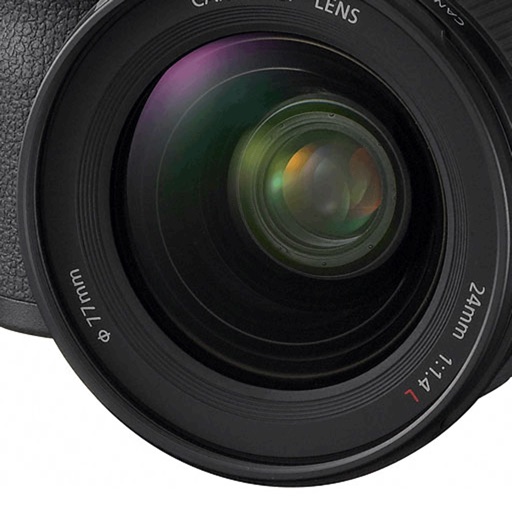
Calculate depth of field with customizable settings for photographers and cinematographers. Select from multiple camera models. Save camera configurations and access in- purchases for additional features.
by Indie Film Gear LLC★ 4.6274 ratingsPhoto & VideoFreeData updated 2026-09-08
Add frames to photos from gallery, camera, or Facebook. Choose from various categories and themes. Discover new frames daily from user submissions. Save favorite frames for quick access. Unlock additional frames for use.
Capture photos using emulated analog cameras with adjustable settings for color, grain, and visual effects. Import and edit existing images to apply film-like characteristics. Export edited photos in various formats and share them directly.
View live streams from ONVIF, RTSP, and MJPEG cameras. Receive AI-powered motion detection alerts and recordings. Access feeds on iPhone and other platforms. Adjust settings for optimal performance across devices.
Take photos by setting time from 1 second to 180 seconds. Capture night scenes, fireworks, and starry skies. Use Bluetooth remote shutter for hands-free shooting. Adjust settings for dark environments to avoid overexposure.
Edit photos with depth-based bokeh effect for professional portrait blur. Restore old or damaged images with enhanced clarity. Remove unwanted objects from photos. Adjust colors, brightness, and contrast. Export edited photos in various formats.
Save and repost photos and videos from social media. View profiles in HD with zoom capability. Access a large collection of hashtags for better engagement. Manage saved content through a dashboard. Check user history and saved media offline.
Calculate values using voltage, current, resistance, and power formulas. Access single and three phase calculators, horsepower tools, and unit converters. Unlock additional features with an in- purchase.
Offers manual camera controls for iPhone and iPad. Users can adjust exposure, focus, and white balance. Capture photos in ProRAW and ProRes formats. Record videos with advanced settings. Access DSLR-like features for precise image adjustment.
Using custom transitions. Select or from the library. Apply dissolve or fade transitions between clips. Adjust volume and trim video clips. Set photo durations and choose orientation. Save to Camera Roll or share to social media directly.
View and edit and video metadata including location, date, camera info, and file size. Modify location details, captions, and copyright. Bulk edit multiple photos. Share metadata with other apps. Open locations in maps services.
Record with customizable resolution and bitrate settings. Capture unlimited duration without breaks. Save recordings in high-quality formats. Share directly or export for later use.
Capture photos with a vintage camera interface offering manual focus, exposure control, and film grain effects. Edit images using filters, brightness, and contrast adjustments.
The app offers a variety of photo effects, including filters, 3D, and frames. Users can access 208 effects for free, with over 1300 additional effects available through in-app purchases.
Create -themed with multiple creative options. Select images from gallery or camera. Apply effects for enhanced visuals. Share photos on social media platforms. Save edited images in high resolution.
Record videos with facial tracking to animate photos as celebrities, politicians, or paintings. Switch between multiple faces in a single image. Share videos on social media platforms like Instagram, TikTok, and Facebook.
The app offers tools for photography, including depth of field, composition assistance, and light metering. It helps users learn about camera settings and supports various accessories.