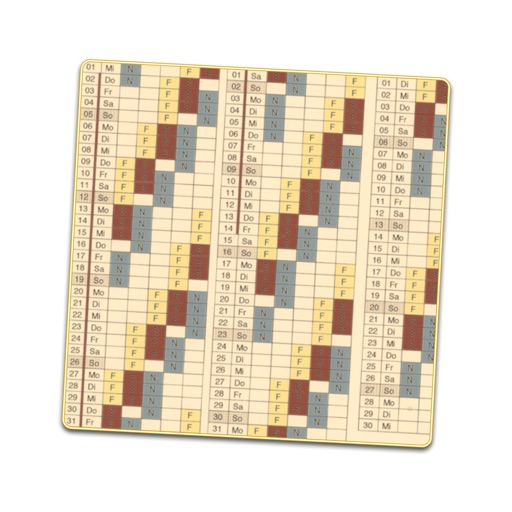
Creates a displaying work shifts for each day of the year. Enter sequences and start dates to generate the schedule. Edit individual days to adjust shifts or mark as holidays. Includes public holidays and school vacations for over 30 countries.
by Alex Gugel★ 4.220 ratingsUtilities$1.99Data updated 2026-10-28
Manage firefighter shifts, track certifications, and record expenditures. Schedule personal and professional events. Sync with cloud services for remote access and data sharing. Integrate with Enterprise™ and TheHouse™ for team collaboration.
View individual and team schedules, sign up for shifts, overtime, and extra duty, request time off, receive instant alerts, and punch in and out. Syncs with organizational software for real-time updates.
A perpetual calendar displays current and next year's dates. Navigate years with buttons. Switch week start day between Sunday or Monday. Highlight today's date. Show weekly numbers and yearly progress percentage.
Manage schedules and events with customizable colors and icons. Track earnings, hours, overtime, and counts. Generate reports for vacation days and other metrics. View schedules on Apple Watch. Switch to dark mode for nighttime use.
Track wages by adding hourly earnings, overtime, and unpaid breaks. Create and organize shifts with color-coded calendars. Calculate pay for multiple jobs and track time worked with precise accuracy.
The app offers a calendar interface for displaying daily schedules. It supports multi-person management, custom shifts, and includes a salary calculator for overtime pay.
Manage work shifts with rotation schedules, days off, and swaps. Track earnings, generate payout reports, and view professional routines. Organize personal events alongside shifts without using spreadsheets.
View shifts and team schedules. Cover shifts for unavailable coworkers. Check leave request status and manage time off. Sync roster to calendar. Set shift start reminders. Managers can track team shifts and update rosters.
Manage work shifts by adding time entries and viewing them on a clear calendar. Save frequently used shifts as favorites for quick re-entry. Calculate wages automatically with options for hourly or daily rates, including overtime and special hours.
Manage work schedules with a shared . Create and update shifts in real time. Support repeating, night, and rotating schedules. Sync with Google and iOS calendars. Use notifications and color coding for organization.
View events from multiple accounts in one place. Set reminders for appointments and deadlines. Invite others to events, respond to invitations, and share calendars. Track holidays, birthdays, and subscription calendars.
Receive shifts matching your schedule and client preferences. Request desired shifts, view your schedule, set unavailability, and get driving directions. Manage client and shift preferences. Securely chat with your agency contact.
Access employee schedules on mobile devices. Clock in and out of shifts. Swap shifts with team members. Request coverage for shifts. Pick up open shifts for additional hours. Manage availability and submit time-off requests.
Create employee schedules and manage shifts across devices. Track time and attendance, handle leave requests, and monitor performance. Assign tasks, communicate with teams, and forecast staffing needs. Generate timesheets and manage workforce data.
Manage work schedules with customizable shift views and editing. Track shift swaps, notes, and holidays. View schedules for multiple years. Support shift work professionals like firefighters and EMS. No subscription required.
Calculate elapsed between start and end times. Track up to 10 cases simultaneously. Sum across all cases. Save and view calculation history. Manage shift work schedules using data.
Track work schedules and personal tasks with shift tracking, friend rotations, and back-to-back schedules. Check work status for any time period. Set reminders for tasks and events. Sync gym training plans with work schedules.