Images by adjusting dimensions and quality. Edit photos with a clean interface. Share resized images to Facebook, Twitter, and Instagram. Optimized for latest iPhones. Remove ads by tapping the "" option.
by Jason Pan★ 4.1164 ratingsPhoto & VideoFreeData updated 2026-09-08
Scan documents, notes, photos, receipts, and books into PDF or JPEG files. Use OCR to convert images into text. Export scanned files and share them directly. Batch scan multiple items at once.
And photos in JPEG or PNG formats to specific pixels, percentages, or proportions. Adjust image size for social media platforms like Facebook, Twitter, and Pinterest. Maintain quality during resizing and batch multiple images.
And videos to save storage space. images or without resizing. Preview quality and disk space before and after compression. Customize JPG compression strength. Batch multiple files.
Photos to reduce file size without losing quality. images to fit specific dimensions for social media or web use. Organize gallery by managing photo sizes and formats.
Crop and split photos into two sections or use custom crop settings for panorama images. Resize images as needed and save them to the photo library without watermarks or logos.
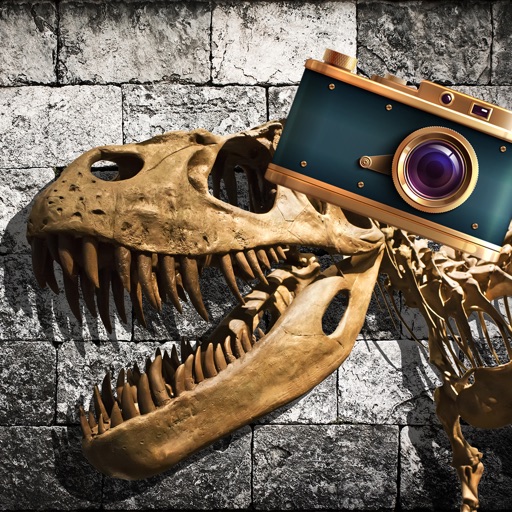
Add realistic dinosaurs to photos with tap-to-place features. Choose from over 60 species including Tyrannosaurus, Pteranodon, and Stegosaurus. Share edited photos on social media platforms like Facebook, Twitter, and Instagram.
Edit photos with background erasing and replacement. Remove backgrounds automatically or manually using AI. Replace backgrounds with custom images, colors, gradients, or textures. Adjust and enhance images with precise editing tools.
Create before-after images by selecting two photos. Automatically arrange them in an optimal layout. Add customizable borders and a professional watermark. Include censor-bars on eyes for privacy. Share the final image directly.
The app allows users to resize, rotate, and move photos to fit device screens. Users can discover community-provided photos from Unsplash and edit them.
Crop and rotate images using preset or custom aspect ratios. Resize photos with precise dimensions or custom inputs. Process multiple images in batches. Adjust quality for optimal sharing or printing. Export edited files in various formats.
Edit photos by selecting frames in square or portrait format. Reposition, resize, and crop images within the . Customize appearance and apply filters. Preview final edits and save to photo library.
Edit photos and videos with border customization for Instagram. Import media from albums, Facebook, or Instagram. Add filters, text, and shapes. Share directly to Instagram for full-size posts.