Edit photos with detailed controls including frames, filters, contrast, brightness, and saturation. Adjust images to create a classical atmosphere. Apply effects and save changes to the device's photo album.
by Sang Hyun Jun★ 5.01 ratingsPhoto & VideoFreeData updated 2026-09-08
Objects, people, blemishes, and acne from photos using AI-powered background removal. Edit images to replace or erase unwanted elements. Export edited photos in various formats.
Edit photos with AI-powered enhancements, filters, and effects. Crop, rotate, and adjust brightness, contrast, and saturation. Add text, stickers, and borders. Export in various formats and share directly.
Edit photos and videos with AI-powered enhancements, including skin smoothing, background blurring, and style transfers. Adjust lighting, colors, and effects. Save and share edited content directly.
Edit photos with AI-powered lighting correction, exposure adjustment, and shadow detail enhancement. Retouch faces and bodies, experiment with makeup and hairstyles, and create collages or videos. Share edited content directly.
Apply to photos and videos in real time. Edit existing media from the camera roll. Organize into categories for quick access. Share edited content directly to social media. Adjust brightness, contrast, and color settings.
Create original images using light effects. Apply light leak filters to add unique textures. Adjust brightness and contrast for enhanced visuals. Share edited photos directly to social media.
Enhance low-resolution photos with AI upscaling. Remove blur and noise for sharper details. Adjust brightness, contrast, and color. Save and share improved images in HD format. Restore vintage photos to high-definition quality.
Edit photos with color filters, adjustment tools, and customization options. Apply creative color grading. Export edited images in various formats. Share photos using the #digitalfilmapp hashtag.
Apply effects to photos and videos using five filters: Standard, High Contrast, Greyscale, Rainbow, and a fifth unspecified option. Adjust intensity and export edited media in various formats.
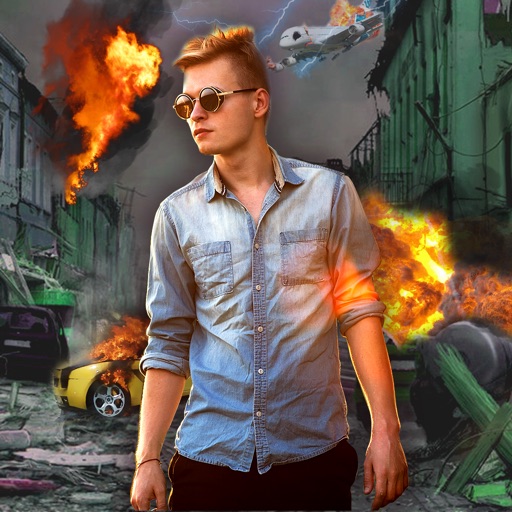
Edit photos with -themed effects like explosions, bomb blasts, and action stickers. Apply customizable FX frames and VFX filters. Decorate images to resemble posters. Share edited photos directly.
Create -themed collages using 100+ available frames. Add text with customizable fonts and colors. Adjust opacity and rotate images. Select photos from gallery or camera. Apply effects to enhance visuals.
Apply effects to photos with multiple classic color options and adjustable beauty filters. Add grain intensity and choose from various photo borders. Import photos from the album to apply effects and use photo frames. Supports Live Photos.
The app allows users to edit photos with filters, add text, and merge multiple images. Users can also use a sketchpad for quick notes and save handwritten content as pictures.
360 COMPANY BILISIM TEKNOLOJILERI REKLAMCILIK MEDIKAL TURIZM SANAYI VE TICARET LTD STI
Faces, edit videos, share content
Edit photos and videos using technology. Apply creative effects and templates. Choose from professional, casual, retro, old money, elite, and seasonal styles. Share results on social media or with contacts. Add filters and generate photo designs.
Apply effects to photos including sepia tone, grain, darkened edges, distressed paper, and faded highlights. Adjust intensity settings and export edited images in various formats.
Edit photos with facial adjustment tools for eyes, nose, lips, eyebrows, and jawline. Retouch skin, whiten teeth, and remove dark circles. Apply makeup with customizable options. Adjust backgrounds and export in multiple formats.
Edit photos with filters inspired by 70s, 80s, and 90s film cameras. Add light leaks and dust overlays. Adjust brightness, contrast, and saturation. Save edits in various formats and share directly.
Control lighting settings like color, brightness, and saturation remotely. Sync lights with music rhythm for dynamic effects. Share device access with family members for shared control.