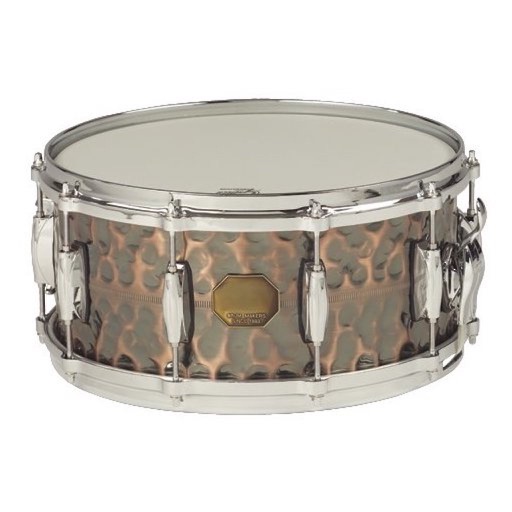
Tap the iPhone screen to play drums with a simple drum kit. Choose from 30 instrument sounds including snares, cymbals, tomtoms, and hand-claps. Adjust volume for each instrument. Customize instrument layout in 2x2 or 3x3 grid.
by Kentaro Matsumae★ 5.01 ratingsMusicFreeData updated 2026-09-08
Create and customize using real instrument sounds like guitar, mandolin, and standup bass. Play any chord progression in any key and speed. Practice with generated for bluegrass, old-time, fiddle tunes, and jazz/swing.
Add analog saturation to audio signals using a modeled '90s guitar preamp. Process guitars, pianos, organs, synths, basses, and more. Shape tone with controls for drive, brightness, and output.
Record and audio for voice or instruments. Create song sections like verse, bridge, and chorus. Switch between sections in real time. Import audio files and use drag-and-drop. Apply effects and overdub tracks. Supports iPad and iPhone.
Learn musical notes, fingerings, and rhythms through interactive gameplay. Compete against up to three players on a single instrument. Earn ninja belts by improving speed and accuracy. Purchase additional instruments.
Create and customize music with a variety of instruments including drums, guitar, piano, and percussion. Set tempo via screen tapping with algorithmic support. Jam with rhythm tracks and filter by BPM, genre, and measure.
Play , quintos, tumba, requinto, super tumba, or bongos with adjustable drum configurations. Access 27 unique pocket beats and loops. Use metronome with 18 different sounds. Play solo or with 16 pre-set bass, hi-hat, or snare loops.
Record audio and MIDI tracks, mix during playback, and apply effects like reverb and vocal tuning. Add drum tracks, edit songs, and share projects online. Collaborate with others through the Songtree community.
Play with customizable key labels and sustain pedal. Record performances and use custom sound fonts. Support inter- audio and EXS24 instruments. Launch instantly with home screen widget. Track pitch for vocalists and compose on the go.
The app provides over 40 multi-sampled instruments and hundreds of scales for playing in any style. Users can sound like a professional musician, even with no prior experience, by selecting an instrument and jamming.
Create musical compositions using traditional notation or guitar tablature. Edit scores with touch-based interface and advanced tools. Play piano keyboard, fretboard, or drum pad. Use handwriting recognition for input. Export and share compositions.
Play chords and melodies using a tactile keyboard interface. Hold buttons and swipe or tap to create sounds. Access chords and notes via a grid for precise selection. Adjust pitch, harmonize, and apply real-time audio effects.
Edit and remix music by separating tracks like vocals, drums, and guitar. Add MIDI instruments and apply audio effects. Use AI chord detection and a smart metronome. Remove vocals or isolate instruments from any song.
Allows guitarists to control MIDI instruments and loops using a guitar-mounted controller. It enables playing synthesized sounds, arpeggiated patterns, and layered instruments. Users can record and playback audio files triggered by guitar notes.
The app provides instrument flight training through various courses. Players practice heading, altitude, and airspeed control to achieve high scores across different difficulty levels.
The app allows users to create, save, and share professional stage plots. It offers an intuitive interface with an editing tool bar and easy-to-read graphics, including over 250 industry-standard props.