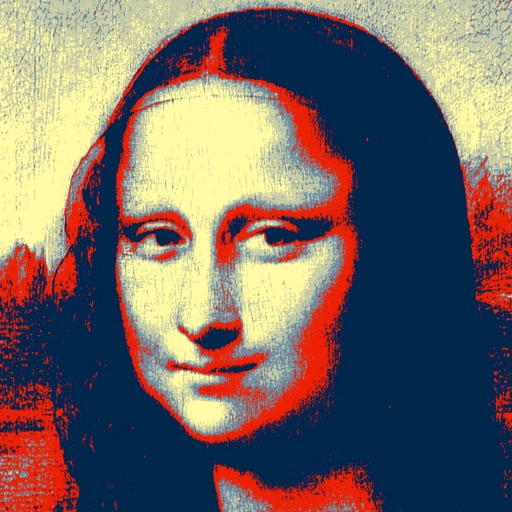
Edit photos with nine customizable filters. Crop and position images. Add multiple lines of text and messages. Save creations to the library. Share directly to Facebook, Twitter, and other platforms.
by 3DTOPO Inc.★ 4.9200 ratingsPhoto & Video$0.99Data updated 2026-10-16
Edit photos with AI-powered filters and neural network enhancements. Apply artistic styles to create paintings. Export in 64 megapixel lossless format. Print artwork on canvas, T-shirts, or comic books.
Create animated photos by adding motion to selected elements. Choose animation styles, adjust timing, and export as video or GIF. Share directly to social media or save for later.
Edit photos to create funny cartoons, caricatures, and sketches with 9 styles. Apply filters and adjust details for high-resolution output. Convert videos into clips using live preview or one-tap conversion. Share edited content directly.
Edit videos by selecting photos or clips, adding text, and using AI to generate content. Apply filters, adjust timing, and export for social media platforms. Share directly or save in multiple formats.
Create collages from photos and videos for social media posts, stories, and thumbnails. Edit videos with trimming and grid layout options. Add blurred backgrounds without cropping. Share content directly to platforms like Instagram and TikTok.
Create collages by selecting photos and arranging them in customizable layouts. Choose from 200+ frames and templates. Adjust colors, borders, and backgrounds. Edit photos with crop and enhancement tools.
Edit photos with AI auto-beautification, facial retouching, and skin smoothing. Adjust features, enhance lighting, and apply filters. Save and share edited images directly.
Create GIFs from videos with editing tools. Add stickers and emojis for customization. Export in various formats for sharing on social media and messaging apps. Share directly to platforms like Facebook, Instagram, Twitter, and Messenger.
Memes using a large collection of templates. Search for templates by popularity, relevance, date, or usage. Add text, images, and labels. Save memes to a list for future editing. Undo and redo changes during creation.
Turn photos into drawings, cartoons, or sketches with one click. Apply 19 effects with full control. Save creations and share via Facebook, Twitter, Flickr, Tumblr, and Email.
Apply filters to selfies and videos. faces with others in photos. Add filters and voice changer effects. Share edited content directly. Transform appearances instantly for creative or humorous purposes.
Create logos using AI without design expertise. Input text or images to generate multiple options. Customize colors, fonts, and layouts. Export logos in various formats and share directly.
The app allows users to create memes by selecting a picture, changing captions, and sharing. It supports multiple images, user photos, and multi-line captions without ads or watermarks.
Create collages by selecting images from the library. Automatically generate and arrange layouts without manual cropping or resizing. Shuffle image order as needed before finalizing the .
Transform photos into AI-generated cartoons, stickers, posters, and wallpapers. Edit images with filters, adjust colors, and add text. Share creations directly or export in multiple formats.
Create collages by selecting from 1000+ layouts, grids, and templates. Add photos, adjust sizes, and apply filters. Share collages directly to social media or via email. Edit text, add stickers, and crop images within the .
Create collages by combining photos and videos with over 400 layouts. Apply filters, borders, and edit images or videos. Add music to collages. Share finished projects directly.
Create memes by selecting images from the photo gallery or using trending templates. Customize text colors, sizes, fonts, and layouts. Add stickers and choose from 1000+ options.
Create logos for businesses or companies using customizable templates. Select from 10K+ designs. Edit with 6,000+ fonts, symbols, and backgrounds. Adjust colors, text, and layout. Export and share finished logos.
Edit photos with brightness, saturation, and contrast adjustments. Add text, stickers, and memes. Crop, rotate, and straighten images. Apply effects and frames. Sharpen or blur photos. Import images from the camera roll. Fix red tones.