Apps Like Plex & Kodi (XBMC) remote for iPhone and iPad
Control media playback and volume remotely
Manage media playback with automatic installation detection. Control play pause, volume, and navigation via touch or Apple Watch. Integrate with and for media management. Adjust settings for playback options and device compatibility.
by Antoine Barrault★ 4.4133 ratingsUtilitiesFreeData updated 2026-09-08
Control TV and devices from a mobile device. Navigate menus, launch apps, and access channels. Use a built-in keyboard to search and input text. Adjust volume and mute. Switch between input sources and manage playback.
Lets users manage streaming devices via phone. Navigate with swipe-based controls. Connect devices to same Wi-Fi network. Simplify text input with built-in keyboard. Search and input text efficiently. playback and device settings remotely.
Transmit and control drones via Wi-Fi. Take photos and videos remotely. Adjust drone movement in real time. View live feed and manage flight settings. Save media files directly to device.
Control device playback remotely via iPhone or iPad. Access all standard remote functions. Adjust volume, navigate menus, and manage playback settings. Sync with Comigo device for seamless control.
Control RGB LED string via Bluetooth Low Energy. Set colors, brightness, and display modes. Adjust timing intervals and schedule lighting patterns. Pair instantly without additional setup.
Watch live TV channels streamed from a TVHeadend server. Control the server to list channels, view streaming video in- or open third-party apps. Remote manage DVR functions and access recorded content.
TV functions with an intuitive interface. Use voice commands to adjust settings and navigate menus. Manage playback, volume, and input sources without physical buttons.
View live video feeds and recorded footage from a security camera. Receive instant alerts for motion detection of people or vehicles. Control camera settings and access recordings remotely. Adjust camera angles and manage notifications through the .
TV with full functions including power, volume, channel, and navigation. Access settings and menus quickly. Launch apps like Netflix, YouTube, and Prime Video directly. Use directional arrows and numeric keypad for precise .
Access and control remotely. View media library, manage user activity, and receive notifications. Adjust settings and monitor system performance from mobile devices.
Stream content, manage playlists, control playback
Custom widgets let users set alarm clocks and access quick controls. Advanced streaming allows playback of various file formats. AirPlay and subtitle support enable screen mirroring and closed captions.
Control TV with full functionality. Access default channels via a system tab. Connect iOS device and TV to the same Wi-Fi network. Adjust volume, navigate menus, and select channels. Manage playback and input sources.
Set workout intervals with custom time durations for high, low intensity, and rest periods. Create advanced timers with multiple cycles and sets. Run timers in foreground, background, or locked screen.
The app allows users to control Pioneer AV Receivers and BD Players. Users can adjust volume, select inputs, and control playback functions for compatible devices.
TVs, lights, and AC units with buttons, gestures, or voice commands. Adjust volume, power on/off, and switch channels or inputs. Create automation scenes for multiple devices.
Control TV functions by swiping through menus and launching apps with a single tap. Type faster with on-screen keyboard. Search using voice commands. Manage media players and smart TVs remotely.
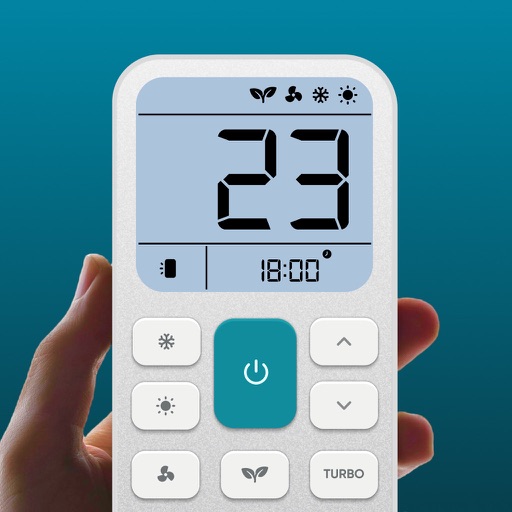
Control air settings from a smartphone. Adjust temperature, switch modes, set timers, and change fan speed. Connect to multiple AC units. Compatible with various brands. Manage cooling or heating remotely. View and adjust schedules.
Display multiple videos or images on a single in customizable grid layouts. Play videos with sliding controls for playback, volume, looping, and speed adjustments. Record and save videos. Lock to prevent accidental touches.