Upload and share photos and videos with tags, titles, and descriptions. Add GPS locations and convert unsupported file types. Comment on content and announce uploads via Twitter. Organize and manage photos efficiently.
by Matthias Gansrigler-Hrad★ 0.00 ratingsSocial NetworkingFreeData updated 2026-09-08
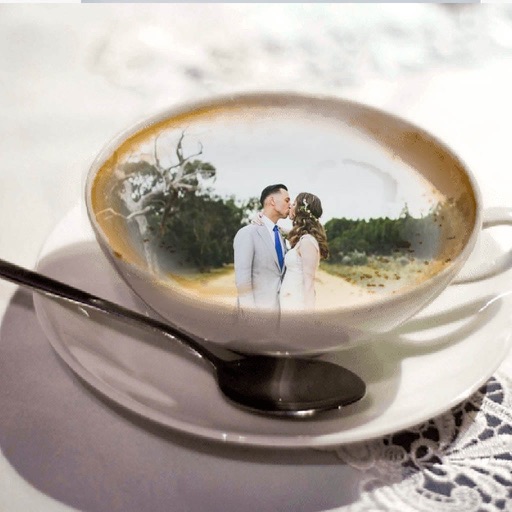
Apply -themed to images from the gallery or camera. Adjust frame size and position by rotating, scaling, zooming, or dragging. Choose from fifteen in various shapes and colors. Save edited photos to the device.
The app allows users to transform photos into vintage images with various color and light effects. Users can apply different frame borders, adjust contrast, gamma, and saturation, and add vignetting and noise.
Edit photos by importing from camera or gallery. Add glasses, mustaches, beards, hats, and bowties. Resize, rotate, adjust transparency and color. Erase parts of accessories for a custom look. Share edited photos directly.
Edit photos by selecting from the gallery or using the camera. Apply multiple and effects. Adjust image position, size, and angle. Save, share, or upload to social media platforms like Facebook, Twitter, and email.
Create and edit digital artwork with layers, brushes, and custom tools. Adjust colors, brightness, and contrast. Import photos and sketches. Save and export in various formats. Apply filters and effects. Collaborate with others through cloud sharing.
Edit photos by adding -themed like trees, presents, and Santa Claus. Select images from the gallery or capture new photos with the camera. Apply HD quality to enhance holiday pictures. Share edited photos directly.
Browse subreddits, view posts, save media, download
Browse posts and comments across multiple tabs. Save images and videos for offline viewing. Batch download media content. Filter and organize subreddits for efficient navigation. View posts with enhanced media browsing features.
Apply live filters to enhance photos with effects. Adjust color tones and add vintage textures. Share edited images directly to Instagram. Save and view photos with analog-style filters.
Select photos from phone or tablet to print on . Choose from 12x12 square or landscape/portrait sizes. Print at Walgreens. Share from Instagram, Facebook, Flickr, Google Photos, or Dropbox.
Apply HDR to photos to enhance light and detail ranges. Adjust exposure, contrast, and color balance. Export edited images in high quality. Share directly to social media or messaging apps.
Capture photos and videos with real-time filters applying effects during recording. Adjust filter position by tapping, swiping, or pinching. Edit videos with multiple filter styles ranging from funny to artistic. Share edited content directly.
Edit photos by selecting from the gallery or capturing new ones. Apply various and effects. Adjust position, size, and angle. Save, share, or upload to social media platforms like Facebook, Twitter, and email.