Manage batch processing tasks with barcode scanning and magnetic card reading. Input data via scanner or card reader. Export batch results to CSV or Excel. Integrate with Linea Pro and Infinea devices for streamlined data collection.
by Infinite Peripherals★ 3.02 ratingsBusinessFreeData updated 2026-09-08
Identify and scan colors using camera input. Retrieve hex codes and names. Organize and save palettes. Share data via copy or export. Integrate with design tools for accurate matching.
Scan using computer vision for automatic data entry and search. Import images or PDFs from Files or Photo Library. Organize expenses into categories and associate each receipt with specific entries.
Manage laboratory workflows with sample login, receipt, and test assignment. Enter results, review data, and generate reports. Manage instruments and access device features like camera and barcode scanning.
Manage tasks and notes with voice-to-text input and customizable templates. Schedule reminders and set priorities. Export data in multiple formats and integrate with cloud storage services.
Convert files between various formats and extract high-quality MP3 from videos. Choose output settings, adjust bitrate, and save converted files directly. Supports batch processing and integrates with cloud storage for file sharing.
Create barcodes in 23 formats including Codabar, Code 128, and EAN-13. Generate single or batch barcodes. Export as image files. Edit dimensions and text. Save and share generated codes.
Track cannabis plants and packages using barcode, camera, and RFID scanning. Record and report data to METRC systems. udit trails and print labels. Access features offline. Manage facility compliance and inventory.
Scan items to create listings quickly. Input product details manually or via barcode. Post items to resale platforms. Track inventory levels and sales performance. Receive real-time market data and pricing updates.
Scan barcodes and QR codes to identify components and packages. Connect iPhone via Bluetooth to transfer scanned data to existing workflow apps. Receive real-time scan results and integrate with compatible software.
Run programs and perform calculations using a simulated HP-67 calculator. Input numbers and commands via on-screen keys. Access built-in functions and mathematical operations. Load and execute stored programs from magnetic card files.
Manage with real-time updates and barcode scanning. Add barcodes to auto-bin items. Track counts for full or partial updates. Receive purchase orders and invoices on arrival. Upload custom item images for missing or invalid entries.
Create and manage custom databases with structured tables. Input data into fields like date, category, and notes. Organize entries into rows for easy tracking. Export and share database entries as needed.
Manage transactions for in-person and online purchases. Accept debit, credit, and Apple Pay payments with a card reader. Scan items to and sync inventory in real time. Email carts for self- and integrate with the platform.
Scan QR codes and barcodes without an internet connection. Access over 15 formats including QR , Barcode, Code128, and EAN-13. Save scan history and favorites. Use flashlight for low-light scanning. Quickly open scanned links or data.
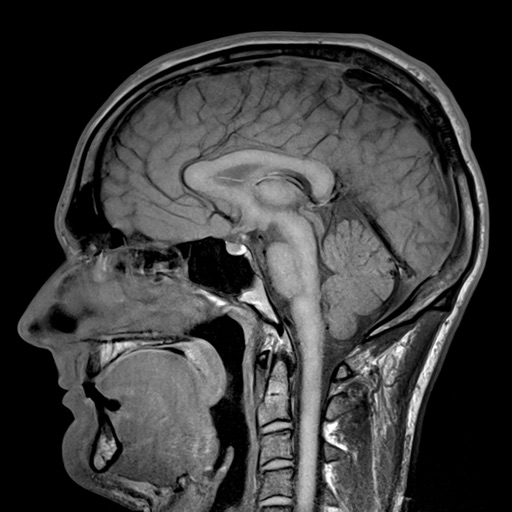
Allows users to adjust scan parameters like repetition time, echo time, and flip angle. Users can modify magnetic field strength between 1.5T and 3T. Real-time image updates show how parameter changes affect MRI visuals.
Scan QR and barcodes to access website URLs, product details, and other information. Save, copy, or share scanned data. Create custom QR and barcode codes using the built-in generator. Detect codes automatically with one tap.
Scan QR and barcode codes using a full-screen . Toggle the flash light for better visibility. Access live text recognition for images in the camera roll. View a history of scanned codes as a list. Scan multiple codes simultaneously.