Apps Like Emulsio › Video Stabilizer for iPhone and iPad
Edit videos, stabilize shots, upscale quality, enhance
Edit videos with stabilization, 4K upscaling, frame rate enhancement, and AI-generated slow motion. Add transitions and effects. Export in various formats and share directly. Sync with cloud storage for backup and editing on multiple devices.
by Creaceed SRL★ 3.6401 ratingsPhoto & VideoFreeData updated 2026-09-08
Create videos by combining clips and adding text or frames. Choose from various fonts and adjust video length and text position. Crop videos to square for Instagram or Vine. Add music and adjust volume.
The app allows golfers to record and check their swing form and plane using video playback. Users can analyze swings in slow-motion and frame-by-frame, with options for drawing lines and comparing to professional golfer swings.
Record at 60/120/240 FPS for slow-motion . Playback frame-by-frame for detailed review. Share HD videos via email. Mirror content to HDTV using AirPlay. Control remotely via Bluetooth headset or remote.
Capture photos and videos with iPhone or iPad using . Adjust focus and exposure with a slider. Control LED flashlight brightness manually. Automatically selects optimal lens for shots. Record videos in 4K at 60 fps or 1080p slow motion.
Edit videos by adjusting with points for smooth transitions between fast and slow motion. Manipulate time to create dynamic effects. Export edited videos in various formats. Share directly from the .
Create and share short videos as animated GIFs or MP4. Capture frames with the or import photos, videos, or Live Photos. Apply real-time color filters, add text or frames, and choose stop motion or video mode.
Record videos and photos with controls including focus peaking, false color, and histogram. Shoot in PRORAW and DNG formats. Adjust audio metering, custom resolutions, and frame rates. Export logs and fat videos.
Turn a single photo into a short film with dynamic AI animation. Apply cinematic filters and effects. Export videos in high quality for social platforms. Adjust timing and transitions. Add background music and text overlays.
Join and merge videos from your album or camera. Preview merged results instantly. Trim and cut clips by selecting start and end times. Share the final directly.
Enhance quality with AI-powered upscaling. Convert 480p to 1080p or 4K. Reduce noise and grain. Adjust brightness, contrast, and saturation. Smooth motion in fast scenes. Restore old videos for better clarity.
Record videos with a 4K and add clips to projects via widgets. Edit vlogs by trimming multiple clips to the same length. Create quick recaps, intros, and previews. Browse content from specific dates. Use AI tools to generate images.
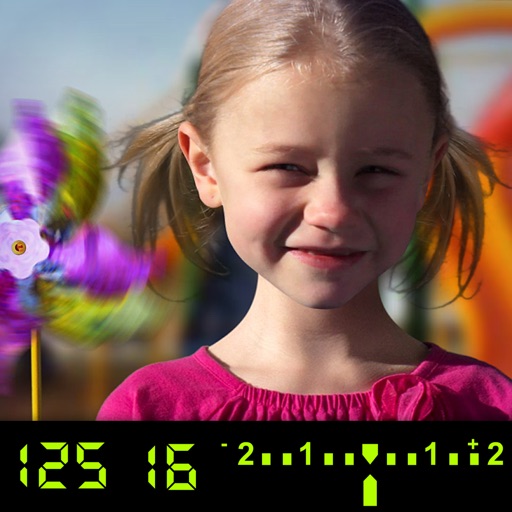
The app visually explains DSLR camera controls and allows users to experience the effects of various settings. It provides instant feedback and advice on user settings, making it a tool for learning photography.