Add date and time labels to photos with customizable position and font color. Edit photos without losing resolution. Automatically save edited images to the library.
by 文睿 李★ 2.65 ratingsPhoto & VideoFreeData updated 2026-09-08
Edit photos using adjustable filters for brightness, contrast, saturation, color temperature, highlights, shadows, and color. Add text to images for customization. Preview in real time. Remove previous settings. Save edited photos to the device.
Remove unwanted parts of photos using AI-powered erasing. Add colors or images to create new backgrounds. Crop, draw over, and undo edits. Zoom for precision and blur edges. Save and share edited photos.
Add to photos with customizable fonts and styles. Choose from 250+ fonts and 200+ templates. Include layers for , images, shapes, and stickers. Access a variety of stickers, icons, and quotes. Apply single color or gradient color palettes.
Edit photos with text effects and auto background changes. Add customizable signs and text. Adjust brightness and contrast. Save and share edited images directly.
Edit photos with diamond frame effects and star-like enhancements. Add creative effects to enhance images. Save and share edited photos directly. Apply various frame styles to personalize pictures.
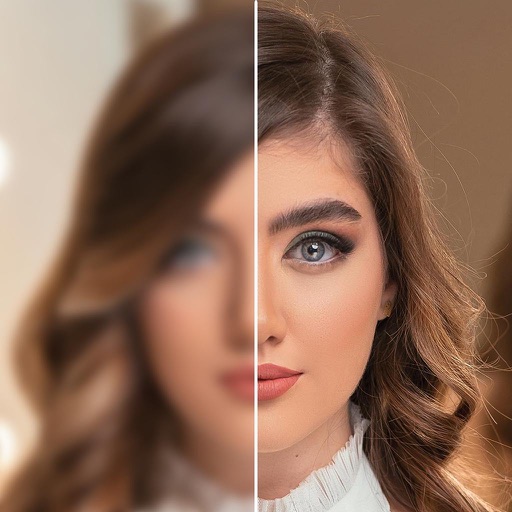
AI-powered enhancements improve image clarity and resolution. Batch processing allows multiple edits at once. Edit history tracks changes made to photos. Export options include various file formats.
Upload photos or sketches to generate high-resolution home design visuals. Explore over 20 pre-designed styles for instant inspiration. Adjust details to customize spaces. Share rendered designs directly with others.
Edit photos with filters, effects, and adjustments. Add text with multiple fonts, colors, and effects. Overlay text or add captions and 3D text. Include stickers, artwork, and frames. Create collages and personalize cards with photos.
Edit photos with splash effects, convert images to black and white, or apply custom colors. Add filters, zoom in on photos, and use a brush tool. Export and share edited images directly.
Add girls to photos using preloaded images. Select and position girl photos over existing images. Adjust size and transparency. Save and share edited photos directly.
Edit photos with high-quality and adjust settings for optimal resolution. Select images from the library or capture new ones. Apply stylish themes and save edited photos directly to the device.
Edit photos with filters, cropping, and adjustments. Change backgrounds and add stickers. Create collages and customize . Design Facebook and Instagram posts and stories. Export edited images in multiple formats.
Edit photos with filters, effects, and text tools. Add stickers, shapes, and draw over images. Adjust colors, lighting, and focus. Crop, resize, and enhance details. Apply tone curves and retouch features. Export and share edited photos.
Combine multiple photos into customizable frames or collages with 55 adjustable templates. Add rounded corners, effects, shadows, and patterns. Choose colors using an easy color picker. Save projects and share via Facebook, Email, or Twitter.
Add text to photos with caption, bubble, and thought bubble options. Choose from 6 free frame styles and multiple caption designs. Adjust text size, position, and appearance.