The app offers 17 tools for adjusting image quality, including noise reduction and sharpening. Users can compare before and after images by long pressing.
by EIGHTIVE DESIGN, Inc.★ 4.47 ratingsPhoto & VideoFreeData updated 2026-09-16
The app offers tools to enhance photos with various effects like Hi-Def, Scenery, and Portrait. Users can stylize images with filters, stickers, frames, and overlays, and touch up selfies with blemish removal and teeth whitening.
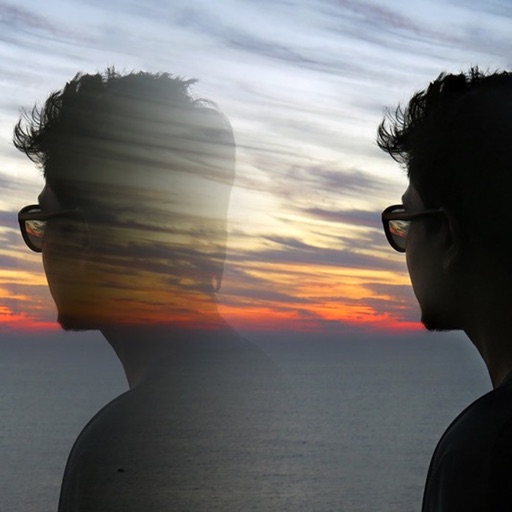
The app allows users to create superimposed, silhouetted, and double-exposed photos using their own images or from the Unsplash library. It provides tools for background selection, blending modes, and masking to craft unique image compositions.
Edit photos with , , and AI cutout tools. Apply neon, glitch, and overlay . Add doodles, artistic text, and fun stickers. Share edited photos directly to Instagram, WhatsApp, Facebook, and Messenger.
With Hi-Def, Scenery, Food, Portrait, and Night effects. Adjust saturation, warmth, tint, and fade. Crop, rotate, and straighten images. Draw, add text, and create memes. Use Focus or Vignette to highlight subjects.
Capture photos with manual controls for ISO, shutter speed, and flash settings. Apply authentic tones and grain. Export images in high-quality formats. Adjust exposure and focus manually. Share photos directly from the .
The app allows users to crop photos into a square shape for posting on Instagram. It supports both landscape and portrait orientations and offers various background options and effects.
Improve audio by automatically boosting sound and maximizing . Manually extract or mute audio. Add fades to audio and . Import videos and apply instant sound fixes. Export modified videos.
Create handwritten drafts by copying text, selecting a paper background, choosing a font, and adjusting size and spacing. Generate realistic simulations for letters, essays, and notes.
Take photos with single-tap effects and professionally designed filters. Adjust brightness and contrast. Apply blur and focus. Rotate and crop images. Export edited photos in various formats.
Edit RAW photos with color and tone adjustments. Import and process RAW files from cameras or storage devices. Organize and manage libraries. Capture pro-grade RAW images with manual controls.
Edit photos with 12 blend modes including overlay, multiply, difference, and exclusion. Combine foreground images from a growing library of over 400 options. Export and share edited creations.
Edit photos with filters, cropping, and brightness adjustments. Add text and stickers. Export in multiple formats and share directly. Apply stylish free and premium filters for social media use.
The app allows users to remove and edit backgrounds of pictures. It offers smart and manual cutout tools, with options to move, zoom, rotate, and crop images.
The app offers over 200 overlays and 140 filters to enhance photos. Users can add typography and artworks from a selection of over 700 artworks and 150 fonts.