Create and edit sheet music with tools for note input, staff customization, and score organization. Export as PDF or MIDI. Share scores directly or sync with music notation software.
by Kazuo Nakamura★ 4.4144 ratingsMusicFreeData updated 2026-09-08
Practice sight-singing and instrumental reading with guide vocals and piano accompaniment. Access over 290 melodies, including 140 solfeggi by Nikolay Ladukhin and famous pieces by Bach, Mozart, Beethoven, Fauré, and Debussy.
Connect with musicians and artists to support their work. Tip directly through the or claim tips from fans. Access weekly giveaways, merchandise, concert tickets, and VIP experiences. Follow artists, share content, and engage with the community.
With dual keyboards and adjustable octave and size. View sheet music on iPad while playing. Use metronome with adjustable tempo and volume. Record performances. Adjust note range.
Create and edit sheet music with multi-track tabs and chord charts. Playback compositions and adjust notes by touch. Compose music using touch gestures. Learn notations through interactive features. Sync with Apple Health for progress tracking.
Children can play virtual instruments like , xylophone, trumpet, flute, violin, guitar, drums, saxophone, and accordion. They can create melodies, tap rhythms, and customize instrument sounds.
Stream 8 radio stations, including dedicated channels for , , and brain . Play tracks on demand. Filter by composer or genre. Create custom playlists. Share with others.
Access sheet music for players of all skill levels. Browse and download pieces tailored to your taste and ability. Practice with interactive features that enhance learning and performance. Track progress and receive feedback on played pieces.
Learn guitar with structured courses covering theory, playing techniques, and singing. Access extensive sheet music in six-line format. Use AI-generated accompaniment for practice. Track progress and receive performance feedback.
Access hymns with multiple versions including pew, accompaniment, large print, projection, lead sheet, and instrumental. Search hymns by title or keyword. Listen to sample piano recordings. View information about hymn authors and history.
Read and manage from PDF, image, text, and MIDI files. Import scores via camera, photos, or files. Organize by title, artist, and setlist. View scores in horizontal, vertical, or two-page modes. Annotate with pen, text, shapes, and stamps.
Create and control immersive and for live performances and studio sessions. Adjust parameters to shape tone and texture. Trigger transitions and effects in real time. Sync with audio interfaces for seamless integration.
Create and edit progressions with inversions, sus2, sus4, 7th, and 9th chords. Play chords as piano or synth or send MIDI to macOS. Use phone as MIDI keyboard for macOS. Practice reading musical notation.
Play a musical instrument with bowing and plucking features. Adjust string tuning and volume. Access sheet music and practice modes. Record performances and share files. Track progress and receive feedback.
Learn music notation, fingerings, and rhythms through interactive exercises. Practice note identification and timing under a countdown. Track progress with belt tests and receive feedback on accuracy and speed.
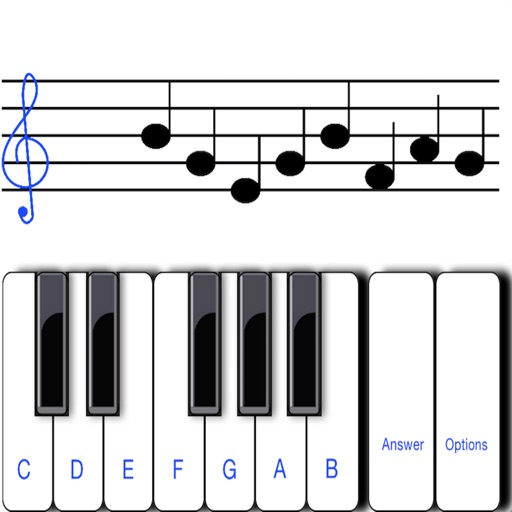
To sight notes in G and F clefs. Practice notes across six octaves, including those above and below the staff. Randomly generated notes apply to any instrument. Switch clefs for varied practice. Beginners can limit octaves and set their pace.
View and search hymns from the Evening Light Hymnal. Browse songs by number, title, topic, author, or composer. Switch between sheet music and lyrics views. Search by title, lyrics, topics, authors, or composers.