Mirror phone screen to Smart TV using screen mirroring technology. Cast videos, photos, music, and YouTube content a few taps. Connect to any Smart TV DLNA, AirPlay, or other compatible protocols. Set up quickly for immediate media playback.
Allows users to display text on their iPad screen for speeches or presentations. Features include multiple script support, adjustable text size and font, and speed control. It can be used with compatible systems for live broadcasts or lectures.
View live feeds from IP cameras. Adjust image brightness and contrast. Flip or mirror images. Control LED and infrared functions. Select compatible models from a list.
Organize and store data with customizable categories and templates for bank info, credit cards, and media. Secure data with passcode and theme customization. Share content via AirDrop, Mail, Messages, Twitter, or Facebook.
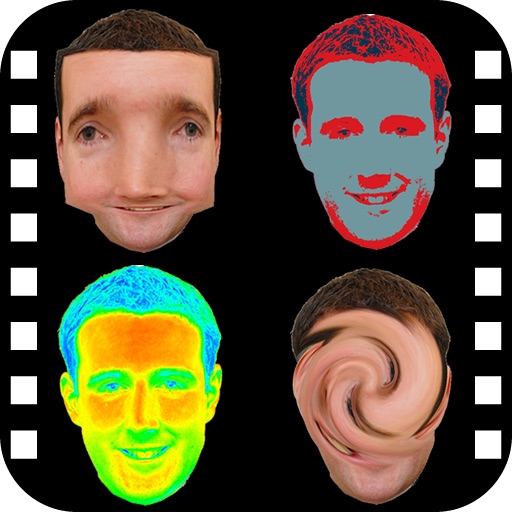
The app provides a photo editing experience with numerous effects. Users can select a picture and apply various filters like Night Vision, Heat Cam, Ripple, and Alien.
Control TV and Box Player with a universal . Adjust channels, navigate menus, and cast content to TV. Mirror screen for streaming. Connect via Wi-Fi or IR for wireless operation.
Edit photos by flipping or mirroring with a finger swipe. Resize images using the same gesture. Create mirrored copies next to original photos. Save and share edited images directly.
Mirror device in real-time to smart TV. Stream videos, photos, and presentations wirelessly. Connect via Wi-Fi without cables. Supports audio and video playback with low latency. Compatible with major TV brands. Simple setup for quick use.
Mirror device to compatible TVs in real time. Cast videos, photos, and apps over Wi-Fi. Connect with a simple setup process. Enjoy low-latency sharing for smooth gameplay and viewing. Works on home Wi-Fi networks.
Control TV power with a single tap. Adjust volume and navigate menus using on-screen buttons. Access channel lists and input sources. Customize button layouts for different devices. Pair with Apple Watch for hands-free operation.
Take photos by setting time from 1 second to 180 seconds. Capture night scenes, fireworks, and starry skies. Use Bluetooth remote shutter for hands-free shooting. Adjust settings for dark environments to avoid overexposure.
In and out up to 15x while taking photos using a slider. Auto-stabilize images and videos. Adjust photo quality automatically. Use timer settings for 3, 10, or 20 seconds. Enable tap-to-shoot or swipe-to- options. Video available via in- purchase.
AI allows users to follow scripts synced to their voice. Users can record or import text, adjust font size and speed, and preview content before recording.
Turns iPad or iPhone into a second for Mac via USB. Browse documents or watch videos with low latency. Use pinch-to-zoom on Mac. Enable Split View for multitasking. Supports touch gestures for enhanced control.