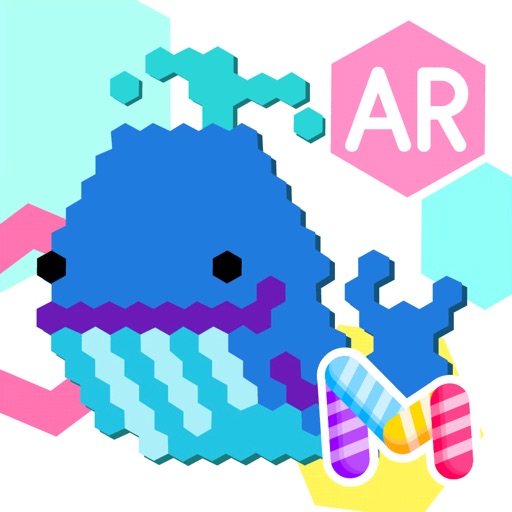
Create pixel art by tapping hexagons with colored pencils. Choose from a large library of images to color. Use freestyle mode for custom creations. Save and share artwork directly.
The app provides a drawing experience with colorful stamps and rainbow lines that trigger sounds. Users can save their creations, clear the canvas with trash and eraser buttons, and choose between white and black backgrounds.
Allows to interact with on-screen toys like fish, mice, lasers, and birds. Users can adjust music and toy settings. Place device near the cat to trigger play. Tracks engagement and offers customization options.
Control a bird to fly through winter skies by dragging the screen to navigate and tapping to move forward. Avoid colliding with black birds and buildings. Explore multiple beautiful stages with intuitive sliding controls.
Binky allows children to color pages with touch and drawing tools. Features include color selection, erasing, and saving artwork. Includes 150+ themed pages to develop fine motor skills and hand-eye coordination.
Identify magnet poles with real-time detection. Alert when a magnet is too close. Determine north or south direction. Sync with phone sensors for accurate readings.
Math offers interactive for practicing multiplication, fractions, and algebra. Students solve problems through challenges and receive instant feedback. AI helps explain difficult concepts and provides step-by-step solutions.
Color pages featuring princesses, unicorns, fairies, and other characters. Select colors and patterns to fill in illustrations. Save completed artwork. Access additional characters and themes through in- purchases.
Tracks scores with individual counters and player color icons. Displays recent changes and integrates a calculator for complex scoring. Allows customizable profiles to set starting scores quickly.
Run through six environments while avoiding obstacles and collecting coins. Dodge monsters and use power-ups like slow time, shield, or magnet. Restart from the beginning after a mistake. Collect coins and progress through maps.
Create and edit drawings with over 20 colors and adjustable brush sizes. Save drawings and their creation process in a built-in gallery. Replay or resume drawings at any time. Draw on iPhone, iPad, or iPod Touch.
Children can animals using finger gestures as if with crayons or colored pencils. Features include a magic brush for automatic painting, color mixing, and creative drawing. The includes a format to teach color combination and foster creativity.
Color pictures with realistic painting tools and save work. Draw on blank pages with easy zoom features. Watch video replays of funny drawings. Access a variety of pages for creative expression.
Practice steering, acceleration, braking, parking.
The app is a casual car driving and parking simulator. It offers simple vehicle controls and compact stages for practicing steering, acceleration, braking, and precise parking through driving challenges.
Allows children to color and draw on interactive pages. Includes paint tools, color selection, and animal or nature scenes. Features motor skills development and creative expression through doodling and painting activities.
Children can color eight scenes including playgrounds and beaches using many color pencils. Each pencil has a voice to teach color names. Big, easy-to-use diagrams allow creative coloring with different .