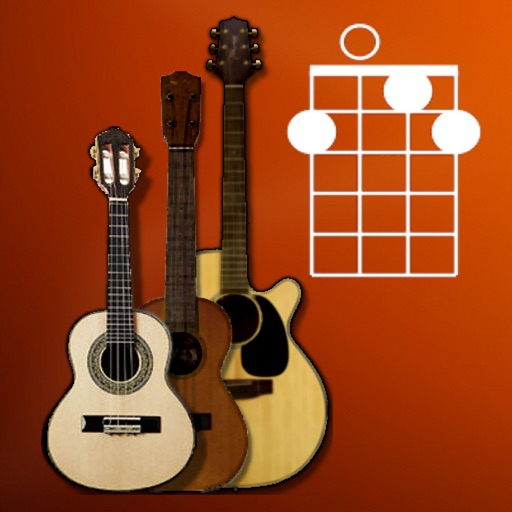
The app displays chord positions for Guitar, Ukulele, and other stringed instruments. It provides finger positions, chord or note information, and supports left-handed display with an option to disable autoplay.
by Alexandre Roux★ 4.010 ratingsMusicFreeData updated 2026-09-15
Learn guitar and other stringed instruments by identifying notes on the fretboard. Choose correct notes from multiple options. Practice with various instruments including bass, mandolin, ukulele, and banjo.
View and learn diagrams for all standard chords. Strum chords to hear their sound or individual strings for note recognition. Switch between left-handed and right-handed displays. Choose from standard, baritone, or D tunings.
Generate chord progressions based on selected moods for guitar, piano, and ukulele. Explore alternative progressions for song sections like bridges or solos. Listen to examples or play along. Save and share created progressions.
And find chords based on the circle of fifths. Learn scales and chord progressions. Identify compatible chords within a key. Set and track musical goals. Sync with instruments and export progressions.
Tune guitars, basses, violins, and other instruments using smartphone microphone. Detect pitch and display frequency. Adjust tuning with visual indicators. Save and share tuning sessions. Sync with -Track Studio for advanced editing.
Through structured lessons and guided practice. Access video tutorials, chord charts, and songplay guides. Track progress, set practice goals, and receive feedback from instructors. Sync with devices for offline access.
Learn to play songs with accurate chord charts for any track. View animated guitar, ukulele, and piano chords. Search a vast song catalog and sync your library across devices. Integrate with YouTube for instant access to music.
Tune instruments with real-time pitch detection and 0.1-cent accuracy. Support for string, brass, woodwind, and percussion instruments. Includes tuning mode, waveform inspection, and noise reduction. Calibrate to live sound or A4 standard.
Play using a virtual with realistic sound. Choose from multiple instruments including , violin, and harpsichord. Access free songs and chords for practice. Adjust settings to customize sound and playback.
Find chord diagrams for guitar, ukulele, and mandolin. Enter chord names to view different voicings or adjust diagrams to identify new chords. Hear how each chord sounds. Supports alternate tunings.
Access and explore a detailed ukulele chord library with all possible chord positions across the fretboard. View suggested fingering and listen to audio demonstrations for each chord. Search for specific quickly.
View and play sheet music and tablature files in GP3-8 and PowerTab formats. Save and organize custom riffs and chord sequences. Export tabs to single-track NotePad. Share music directly from the .
Tune string instruments by playing chords and adjusting strings based on visual feedback. Use a chromatic to match desired notes with color indicators. Select instruments like guitar, banjo, or violin for accurate tuning.
Explore chord diagrams for all music instruments. Select a key, chord type, and addition to view possible chord variations. Adjust settings to customize display options. Save and share chord progressions.
Practice music with a simulated band that provides real-time accompaniment. Create and save chord charts for favorite songs. Track progress with built-in exercises and feedback. Sync with Apple Health to log practice sessions.
Learn to identify musical intervals, chords, scales, and rhythms by listening. Practice ten exercises including interval and chord recognition, melody and rhythm dictation, and chord progressions.
The app provides a lifelike virtual guitar experience with studio-recorded sounds. Users can play chord buttons or form chords with forgiving finger position recognition.