Apps Like FileViewer USB for iPhone for iPhone and iPad
View files, transfer, print, email
View and manage files including PDFs, documents, and media. Open files via email, AirDrop, or connected devices. Transfer files using USB or Wi-Fi. Print documents and share files directly. Supports multiple file formats for viewing and listening.
by MITCHELL COHEN★ 4.02 ratingsBusiness$3.99Data updated 2026-11-17
The app offers multitasking file management with 3-finger swipes for quick task switching. It supports various file types, cloud services, and includes features like a document reader, text editor, and zip archiver.
Convert PDFs to images and images to PDFs. Merge multiple PDF files into one. Edit text and annotations. Export in various formats. Share and organize documents directly.
View and manage files including images, audio, videos, PDFs, Word, Excel, ZIP, and RAR formats. Search for files or navigate through folders. Open files in internal viewer or share them via social networks. Delete multiple files at once.
Arthur Eduardo Skaetta Alvarez Desenvolvimento de Software LTDA.
Create PDFs from photos or files
Create and edit PDFs by scanning documents or selecting images. Rename, merge, split, reorder, and rotate PDF pages. Export and share edited files directly.
Documents, receipts, notes, invoices, and whiteboards. Export scans as multipage PDF or JPEG files. Save PDFs on iPhone or open in other apps like iBook or PDF Reader. Print or email scanned documents directly.
Securely store and organize files with folder management, including subfolders, hiding, and bulk operations. Add, edit, and search photos and videos in supported formats. Lock categories with passwords for restricted access.
The app provides a web browser with download capabilities for various file types. It includes a file manager for organizing downloaded content and viewers for images, documents, audio, and video.
Documents and photos to PDF, JPG, or TXT formats. Save scans as multipage PDF or JPG files. Share scanned documents directly. Store and organize scanned files for easy access.
The app provides tools for creating, editing, annotating, and exporting PDFs and images. It allows users to scan documents with their camera and edit PDFs with Apple Pencil.
Read and navigate PDF files quickly with smooth scrolling and zoom. physical documents to create PDFs. files to multiple formats. Share and annotate documents directly. Open large files efficiently.
Create and edit PDFs by scanning documents, combining files, or importing images. Add pages, delete or reorder content, and apply markup. Export with password protection and extract pages or images.
Create, store, manage, and edit , spreadsheets, photos, videos, and recordings. View files in a finder-like interface. Email, airprint, and transfer files via Google, USB, Wi-Fi, or FTP. Back up and sync files across devices using iCloud.
Manage with secure, high-speed transfers between devices. Send photos in batches and organize them into custom folders. Connect via Bluetooth by selecting a nearby device and initiating the process.
Export to Microsoft Excel or VCF format. Select individual or export all at once. Preview files before sharing or mailing. Backup using XLSX files. Edit file names and delete exported files as needed.
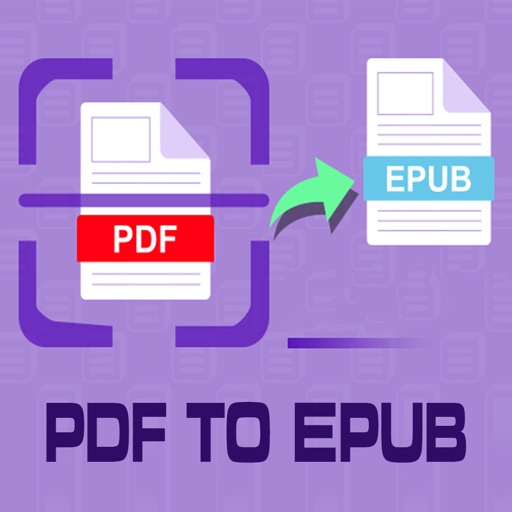
Convert PDF files to format for mobile reading. Edit text, adjust fonts, and customize margins. Export as and share or save to device. Supports iPad, iPhone, and ebook readers.
The app stores documents, music, and videos in a secure location. It functions as portable storage with a file manager, music player, and PDF reader, supporting gallery imports and exports.