The app replaces paper grading calculators with a flexible and convenient tool. It can be configured for hundreds of questions and displays grades as whole numbers or with one decimal place, showing the number correct, wrong, or both.
by Dryrain Technologies LLC★ 4.948,850 ratingsEducationFreeData updated 2026-09-14
Students can view schedules, check grades, and access classroom resources. Families can read PTA updates, find staff members, and receive student reports. Staff can access essential data, implement PBIS strategies, and use CTLE resources.
Manage classes, update rosters, communicate with parents
Manage classroom activities by updating rosters and tracking attendance. Send real-time notifications to parents about grades and school updates. Facilitate direct messaging between parents and for communication.
Access school calendars, check student grades and homework, manage family accounting, and make donations. Receive communications and stay connected with school updates and events.
The app converts numbers between binary, hexadecimal, octal, and decimal formats. It includes functions for bit shifting, adding one, and subtracting one, with an optimized keyboard for input.
Access school announcements, view the calendar, check student grades and homework, manage family accounting, and stay updated on school communications. Receive notifications and access resources anytime from a centralized platform.
Stay connected to St. Mary’s University with real-time news, event updates, and athletic schedules. Access course schedules, registration, grades, and attendance. View academic programs and social media. Log into Canvas and Blume Library online.
Access family and student information, view assignments and grades, and check event schedules. Receive updates on news and communicate with staff. Sync data across devices for real-time access.
Track academic performance by entering grades and assignments for multiple courses. Calculate overall course grades in real-time. Set custom grading scales. View grades with visual graphs and progress overviews.
Manage academic schedules by adding classes, modifying grades, and adjusting course types and credit amounts. Save existing schedules for easy access and editing. Change course details and track progress through customizable settings.
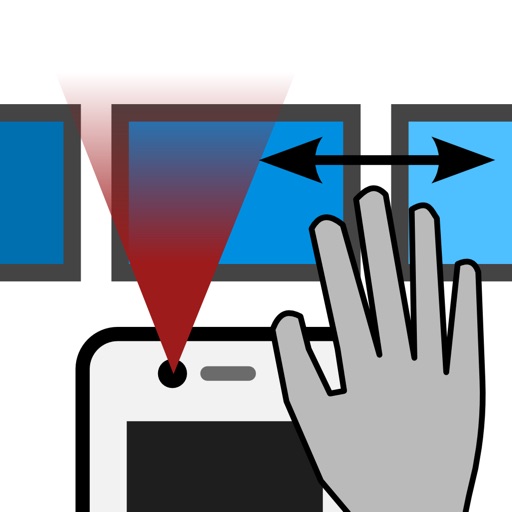
The app allows device control through hand gestures in the air. Users can browse pictures using swipe gestures without touching the screen, which is useful for presentations and for those with difficulty using their hands.
The app provides students with access to teacher-assigned activities for their class(es). It is intended for use in teacher-facilitated classes with blended learning activities.
Receive real-time updates on grades, attendance, and upcoming assignments. View test scores and school calendar events. Access student schedules and communicate with teachers through the .
Convert between and with a flip button to switch units. Supports fractions and displays results in decimal and fractional forms. Adjust rounding settings for decimal places or whole numbers.
Access student grades, assignments, and GPA data through a clean interface. View progress updates, track academic performance, and manage coursework with intuitive navigation and smooth animations.
Access announcements, calendar, student grades, and homework. View family accounting details and manage giving options. Receive updates and communicate with the community.
Convert data sizes and rates between units. Compare storage capacities for retention planning. Estimate log management and SIEM solution requirements. Input values and receive calculated results in different units.
Access announcements, calendar events, student grades, and homework. View athletics schedules and financial information. Communicate with staff and stay updated on school activities.