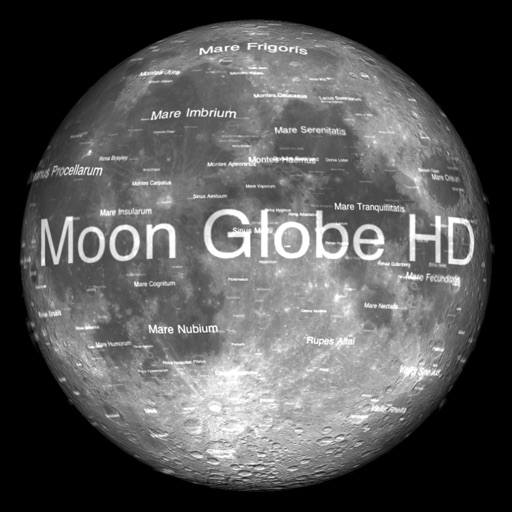
The app displays Earth's Moon in realtime 3D using satellite imagery and topographic data. Users can manipulate the view, switch to Telescope mode, and adjust the display time to observe shifting sunlight on the lunar landscape.
by Michael Howard★ 4.7150 ratingsEducation$0.99Data updated 2026-11-16
View detailed information, images, and videos about celestial bodies in the solar system. Explore planets, the moon, and Pluto. Save favorite content and access educational facts about each celestial body.
Explore dinosaur species with 3D and AR models. View HD reconstructions and real fossil images. Learn about prehistoric creatures through interactive content. Set facts and characteristics of over 600 dinosaur species.
Helps toddlers and young children learn schedules with a visual countdown of disappearing stars. Features customizable sounds, wake sounds, nap timers, and bedtime routine tools.
Learn weather and space through interactive stories
Help children find lost colors in an interactive storybook. Learn about weather and space through mini games and animations. Explore 40 scenes with hidden objects, sounds, and educational content.
Kids can explore a simulated playhouse environment, interact with objects, and assume different roles. They can create and share stories to improve language skills. Parents can listen and engage in a flexible, rule-free play experience.
Explore by rotating, tilting, and zooming a 3D globe. Select locations to view topographical data and gravity maps. Pinpoint key features like volcanoes, craters, and spacecraft landing sites.
The app emulates the VCS3, a portable synthesizer created in 1969. It features three oscillators, a noise generator, a voltage-controlled filter, and a unique patch board matrix for component connection.
Track environmental observations like cloud cover, land cover, and mosquito habitats. Submit data for scientific research. Access educational resources and learn about Earth systems. Share observations with the global community.
Capture photos of the moon by aligning the camera manually. Adjust moon size with two fingers. Tap to autofocus or manually adjust focus. Modify brightness using +/- buttons for better detail. Press the circular button to take a photo.
Access content with verse sharing, inline footnotes, and glossary definitions. View daily verses and proverbs, track weekly readings, and count down to new moons and feasts.