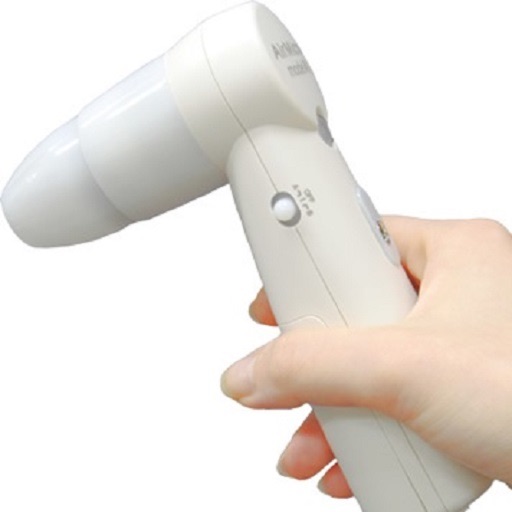
View and save images captured with or ProScope Mobile. Adjust focus and brightness. Share photos via email or messaging. Compatible with Apple iPad, iPhone, and iPod. Used for skin analysis and educational purposes.
by SCALAR CORP.★ 5.01 ratingsUtilitiesFreeData updated 2026-09-08
Review storage, battery usage, and connection quality. Identify large and unused files. Clean cache and temporary data. Optimize battery settings and check internet speed. Manage storage space and improve device performance.
Perform complex calculations using RPN and CAS. Run custom programs and modules. Print or plot results via thermal printer. Import/export data in various formats. Access keyboard overlays and iOS features for enhanced functionality.
Capture photos with adjustable brightness and zoom via slider. Choose resolutions including max device, Full-HD, HD, VGA, and CIF. Toggle between resolution options for different needs.
Use the iPhone camera to magnify objects up to thousands of times. Zoom in on skin, eyes, and other surfaces to reveal detailed textures and structures. Share magnified images and videos directly from the .
View live HD video from IP cameras on iPhone or iPad. Scan QR code and enter password to access cameras. Record video to handheld devices. Monitor home, pets, or office remotely.
Manage delivery routes with real-time tracking and scheduling. Log delivery statuses and update orders. Receive notifications and communicate with dispatch. View performance metrics and access customer information.
Explore molecular structures in 3D with intuitive gestures and customizable visualizations.
The app allows users to view and manipulate 3D molecular structures. It supports multiple visualization modes and file sharing options for molecular data.
Control mobile cameras wirelessly to switch between multiple video feeds. Add graphics, titles, and video clips to streams. Manage audio inputs and apply effects in real time. Stream directly to social media platforms without cables.
Control smart TV with touch gestures and button mappings. Adjust volume, change channels, and navigate menus. Use as a wireless mouse or keyboard for desktop applications. Pair via Bluetooth or Wi-Fi.