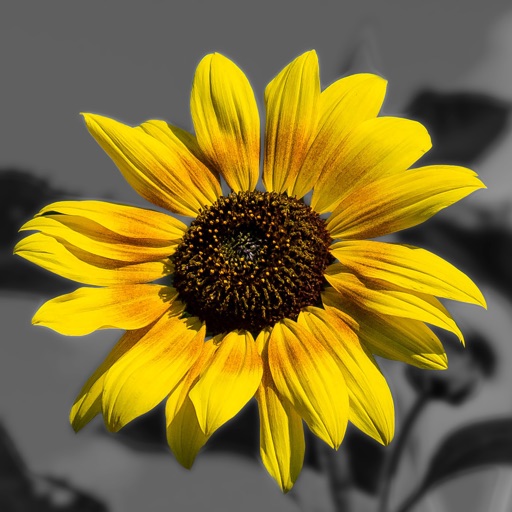
Apps Like Color Splash for iPad for iPhone and iPad
Edit photos with brushes and black-and-white effects
Edit photos by converting them to black and white and selectively retaining with a finger brush tool. Zoom in and out using two-finger pinching for precise adjustments. Share edited images via email or upload to Twitter, Flickr, or Dropbox.
by Pocket Pixels Inc.★ 4.8813 ratingsPhoto & Video$1.99Data updated 2026-09-08
Record with a pause button to stop and restart recording. Trim and cut videos using the built-in editor. Apply filters like black and white, sepia, or hipster. Save videos in 4K format.
Create intricate tessellations and mandalas using 20 symmetry options. Draw with customizable colors and patterns. Adjust symmetry settings to design complex shapes. Save and export artwork in various formats. Share creations directly from the .
FACE & BODY TUNE PHOTO EDITOR, SOCIETATEA CU RASPUNDERE LIMITATA
Recolor in real time
Select and recolor specific sections with a precise brush. Preview different options and adjust intensity. Compare before and after views to choose your desired look.
Edit photos by converting them to and and selectively adding with brush tools. Choose from various brush sizes and styles. Apply filters for creative effects. Undo changes with a single tap.
On with precise tools. Add text, shapes, and stickers. Insert layers and blend images. Create collages with frames and stamps. Design custom stickers and share directly via iMessage or the .
Edit photos with nondestructive color adjustments, AI-powered automatic selections, and support for over 750 RAW formats. Use the Repair tool to remove unwanted objects. Export edited images in various formats and share directly.
And edit videos and photos in any size or ratio quickly. videos to format with pinch, zoom, and drag features. Add keyframes for creative control. Adjust speed, apply slow motion, reverse, or freeze frames. Resize, rotate, and fill backgrounds.
Edit photos with auto tuning, background change, and blur features. Retouch faces with skin and feature enhancements. Adjust colors, brightness, and contrast. Add text and stickers. Export in various formats and share directly.
Color pieces to complete a black-and-white image. Match puzzle fragments to the correct spots. Choose from unique artwork to color. Add colors to bring the picture to life. Save completed artwork for later.
MS. Face Editor Tune Beauty Camera Plus Selfie Makeup Cam
Retouch faces, smooth skin, whiten teeth
Beautify faces and bodies with auto-retouch, smooth skin effects, teeth whitening, and healing brush. Reshape facial structures and adjust features. Apply makeup including lipstick, eyelashes, hair color, and foundation.
Convert grayscale or black and white images to using selective recoloring. Select and capture images, pan and zoom for precise editing. Adjust brush size and opacity. Apply 200+ filters. Preview changes in real time. Redo or undo edits.
Add vibrant color to specific image areas using the Color Splash Effect. Adjust intensity and placement. Export edited in various formats. Share directly from the .
Edit photos with selective effects using gesture controls. Zoom and pan to adjust splash areas. Convert parts of the image to grayscale while keeping selected regions in full . Export edited photos directly.
Merge photos into artistic compositions by selectively editing and combining image elements. Remove or re-add parts using finger painting techniques. Adjust brush settings for precise control.
Edit photos with layers, filters, and brushes. Adjust brightness, contrast, and color. Add text and stickers. Export in multiple formats and share directly.
Cats in black-and-white puzzles. Unlock collectible cats and explore themed locations. View vibrant visuals and complete challenging gameplay. Start spotting cats in each puzzle.