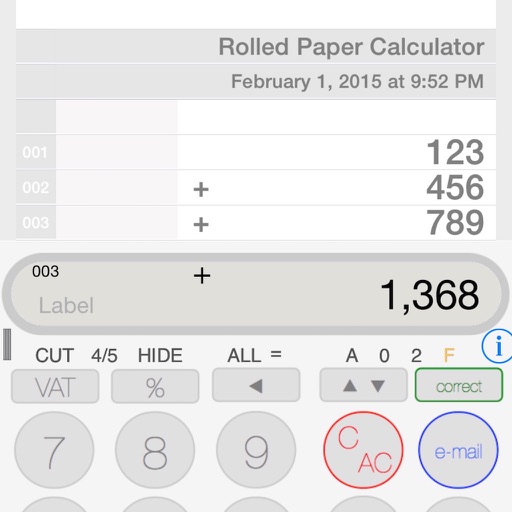
Perform basic calculations with addition, subtraction, multiplication, division, and percentage. View and edit all entries on an electronic paper tape. Access six calculators with customizable colors.
by Robert Wohnoutka★ 4.8167 ratingsUtilitiesFreeData updated 2026-09-08
Perform complex calculations with support for hexadecimal, octal, and binary. Use RPN mode and multi-line display. Access unit conversions, constants, and scientific notation. View a paper tape and use multiple undo/redo functions.
Calculate tips and split bills by entering the total amount. View real-time tip calculations and total. Adjust tip percentage using a slider. Save bills to History. nd send Meal Expense Reports. Photograph bills for record-keeping.
Calculate totals by pressing the asterisk key. Enter operators in reverse order. Compute percentages by multiplying and numbers. Use a full-sized keypad on iPad with TypeTone audio guidance for key navigation.
Offers standard and advanced math functions including percent, negative sign, memory, brackets, and history. It includes trigonometry, roots, exponents, and logarithms.
Perform complex calculations with scientific formulas and unit conversions. Access calculation history via Spotlight and 3D Touch. Use widgets for quick access and history integration. Sync with Apple Watch for notifications and basic calculations.
Calculate financial transactions with Tax+/- keys and edit paper tape history with comments. Add numbers, track receipts, create invoices, and compute percentages. Export paper tape via email or cloud services.
A a log of all calculations. Displays input equations and results clearly. Includes backspace function. Allows adjustable keyboard size and number font size. Supports customization of decimal places, font size for , and display format.
Customize appearance with themes, button shapes, and colors. Choose from six layouts and control all visual elements. View input and result simultaneously on dual-line display. Adjust settings for precise calculations.
Solve math problems with capabilities. Input equations, view function graphs, and analyze statistical data. Perform calculations in algebra, calculus, and statistics. Navigate using arrow keys or touch gestures.
Perform arithmetic operations, including addition, subtraction, multiplication, and division. View a display log of calculations and results. Use a backspace key to correct entries. Support decimal points or commas for number input.
Calculator displays calculation history and includes a Today Extension for quick access via swiping down. Supports 3D Touch for fast interactions. Numbers are formatted according to user's country settings.
Allows users to measure and calculate dimensions using feet, inches, and sixteenths. Input tape measure data directly for accurate conversions. Calculate angles and verify corners without manual calculations.
The app computes present and future values for annual amounts. It offers data entry via sliders or a numeric keypad, with discount rates from 0% to 25%.
Calculator with large keys and 4 basic functions for use. Review entries using tape, add comments, timestamp, and email numbers. Bring past entries into current calculations.
The app offers a collection of six calculators for everyday situations. It includes a discount and sales tax calculator, along with five other tools designed for regular use.