Dali Clock displays time with morphing digits that change shape when updated. Tap to show the date. Double-tap to switch between 12-hour and 24-hour formats. Swipe or pinch to adjust the number of digits displayed.
by Jamie Zawinski★ 5.025 ratingsUtilitiesFreeData updated 2026-09-08
Set customizable background photos and text. Tap display to change visuals. Choose from 20 themes. Adjust settings to personalize appearance. Preview functionality on support page. Free to download and try.
– Time Zone displays current time, date, and time zones. It includes real-time , dual , and city list widgets. Users can customize colors and images, switch temperature units, and convert time zones.
The app presents a text-based interactive fiction where players make choices from birth to death. It offers over a thousand multiple-choice questions, providing a deeper experience than traditional gamebooks.
Display current time, date, day of the week, and battery percentage on home screen. Customize and themes with multiple background and font options. Choose from three sizes. Add to home screen and update as needed. Requires iOS 14.
Adjust clock hands to visualize time changes. Tap a crab to display and hear the current time in Japanese or English. Answer time-related questions. Record voice for time pronunciation.
Learn to tell with interactive hour and minute pointers that update in real-. Toggle between 12-hour and 24-hour formats. View digital alongside the analogue clock or hide it. Set the in- to the current device or a random .
Simulate fluid dynamics in real time with interactive controls. Adjust flow and colors manually. Take snapshots with double tap. Save settings. Output video via VGA, Component, or Composite cables. Purchase ambient audio add-on.
Track time with customizable notifications. Choose from various sounds like beeps, chimes, or spoken words. Set custom messages to display on the screen. Specify exact times for alerts, including hours, half-hours, or custom intervals.
Solve puzzles by filling a grid with numbers that add up to given clues. Each row and column must contain unique digits. Complete the grid by ensuring all sums match clues and no duplicates exist in any sum.
The app transforms a device into a clock with animated backgrounds. Users can select day or night modes, choose from three animations, and set animation speeds.
Customizable digital clock displays 12/24 hour formats with optional seconds. Shows dates in multiple international formats. Supports global time zones with easy switching. Can be positioned anywhere on the screen.
Set alarms with customizable sound and repeat options. Choose between 12-hour and 24-hour formats. Adjust display brightness and select from multiple faces. Wake to specific sounds or vibrations. Track time with large, clear visuals.
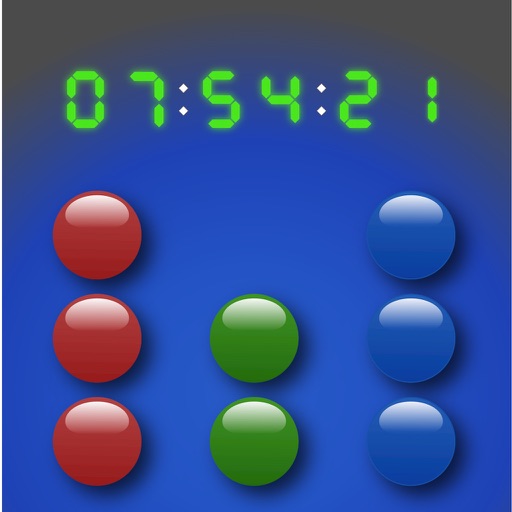
Display time in and BCD formats with optional digital overlay. Switch between 24-hour and 12-hour modes. Customize colors and disable screen lock for personalized use.
Track time with real-time , timer, and countdown functions. Display time in seconds or milliseconds. Customize time format and appearance. Integrate with or desktop interface. Adjust position and transparency. Set alarms and reminders.
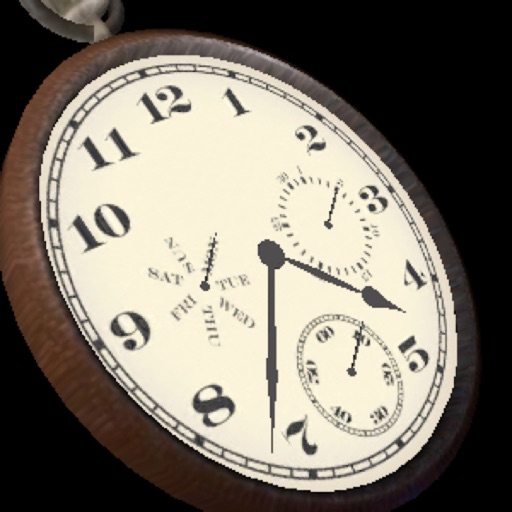
The app displays a three-dimensional analog watch showing the date and day of the week. Users can zoom in and out, and interact with the clock mechanism by turning it around or pushing the knob.