Create melodies and harmonies by touching and shaking the screen. Generate color fields that correspond to musical elements. Adjust notes and tempo using bottom controls. Collaborate with the to compose unique pieces.
by Coffeeshopped LLC★ 4.26 ratingsEntertainmentFreeData updated 2026-09-08
Play by tapping notes as they move across a to create music. Customize melodies with multi-touch controls. Access new levels and music through regular updates. Enjoy sleek visuals and whimsical effects.
Create songs from text prompts or lyrics. Adjust melody and genre settings. Export tracks in audio formats. Share generated directly. Collaborate with AI to refine compositions.
Match gems, hearts, and souls to create combos and unlock special effects. Collect items across 500 levels. Earn boosters and challenge friends via Game Center.
The app is a defense strategy-action game where players recruit a Wild West gang. Players can upgrade bandits, discover new lands, and collect power-ups.
Explore musical scales and tunings through interactive soundscapes. Adjust pitch and harmony by touching and manipulating virtual instruments. Discover new tonal structures without prior music theory knowledge.
Create beats by singing melodies and selecting genres. Record and edit audio tracks. Generate instrumental accompaniments. Export beats in multiple formats. Sync with music libraries. Adjust tempo and rhythm. Add effects and mix tracks.
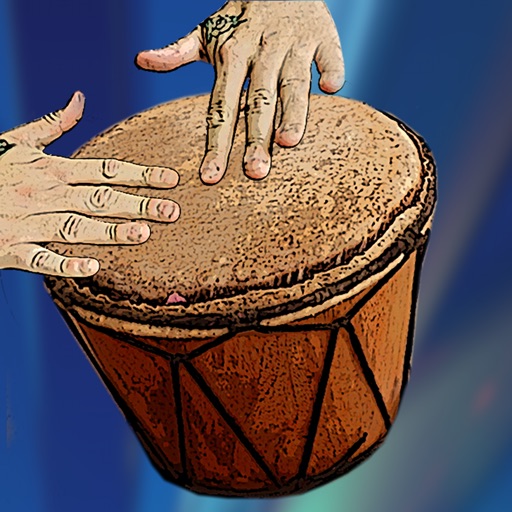
Create and play drum patterns using touch-based percussion instruments. Adjust tempo and volume. Record and replay performances. Export audio files. Sync with other devices for collaborative sessions.
Decorate photos with over 400 styled stickers. Place stickers using simple and intuitive controls. Add text, filters, overlays, and frames to enhance images. Supports iPhone, iPod Touch, and iPad.
Create and visualize polyrhythms with adjustable tempo. Toggle individual beats for syncopation practice. Choose from various sounds. Adjust volumes for top and bottom rhythms independently. Set tempo using the TAP button.
Practice identifying , , and intervals through interactive exercises. Train ear to recognize melodies and chord progressions. Play accompaniment on guitar or piano. Track progress with built-in exercises and scales.
To create by painting shapes that generate melodies. Choose from various instruments and adjust sound parameters. Export audio files and share creations. Sync with Apple Health to track creative sessions.
Create and arrange melodies, bass lines, and drum beats by moving dots on the screen. Switch chords and patterns instantly. Apply delay and reverb effects to instruments. Tap or drag to build sequences. Sync with AirPlay for playback.
ABC Songs and Videos: Engage children with catchy alphabet songs and playful . Interactive games teach counting, shapes, and colors. Parent controls allow setting screen time and activity limits.
Record audio and MIDI tracks, mix during playback, and apply effects like reverb and vocal tuning. Add drum tracks, edit songs, and share projects online. Collaborate with others through the Songtree community.
Create turkeys by placing hands on the iPad screen. Trace shapes for accurate artwork. Add decorations like stars, hats, and suits. Share creations with friends. Designed for preschoolers and arts & crafts activities.
Tap the screen to release sneezing powder and make sneeze out of their bubbles. Create chain reactions to free as many as possible. Navigate levels with touch controls and collect rewards for successful moves.
Create customizable avatars using over 325 items for personalized characters. Assign avatars to contacts and use them as profile pictures on social platforms like Facebook and Instagram. Export avatars in high-quality image formats.
Play with customizable kitten sounds and virtual keys. Create and play melodies using different cat voices. Use as a sound effect tool with adjustable pitch and real music playback.