On the screen by touching and moving fingers. Choose from multiple colors and adjust brush size. Set custom background colors or over photos. Save drawings to the photo library and email them to others.
by Indigo Penguin Limited★ 3.568 ratingsUtilitiesFreeData updated 2026-09-08
Turn your iPad or iPhone into a or secondary display for Mac and PC. Run apps side by side, control your computer remotely, and access files instantly. Support multi-tasking and portable productivity with zero lag.
Cast device to TV for streaming content, photos, and videos. Stream live camera feed and web videos. Access apps and channels on TV. Draw, doodle, and teach on the big . Present content in meetings.
Turn photos into drawings, cartoons, or sketches with one click. Apply 19 effects with full control. Save creations and share via Facebook, Twitter, Flickr, Tumblr, and Email.
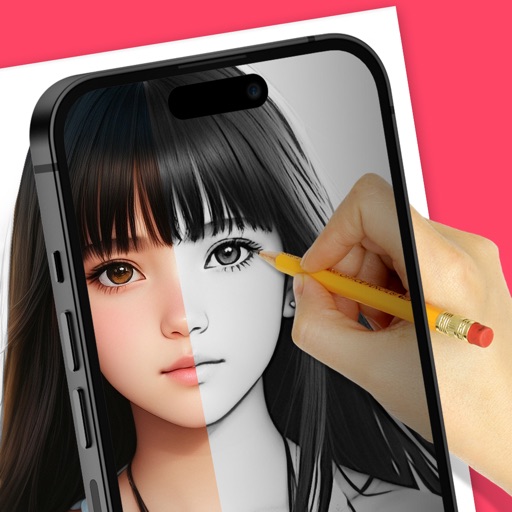
Trace images to create sketches or drawings. Adjust line thickness and brush styles. Use an eraser tool. Apply filters to images. Select from gallery or take new photos. Draw on paper with phone held 1 foot above.
Images using customizable tools and colors, save creations to your photo library. Write notes as images and store them. Edit photos basic tools and save results.
Arthur Eduardo Skaetta Alvarez Desenvolvimento de Software LTDA.
Convert photos to sketches
Convert photos into various styles like , colored, painting, and comic. Adjust brush thickness for customization. Save high-resolution sketches for sharing or printing.
Draw freely using customizable brushes and colors on a canvas, save creations as images to the album. Paint over existing photos from the library and save results. Write notes anywhere and save as images.
Create frame-by-frame animations using drawing tools. Share animations with a community. Participate in themed contests. Export animations in multiple formats. Sync with flipbook style playback. Collaborate with other creators.
Select a random option by placing multiple fingers on the screen. The chooses one at random for decisions like game turns, prize winners, or spontaneous choices. No additional actions required beyond touching the screen.
Set up complete sports teams for supported leagues. Visualize lineups and tactics. Share with friends and members. Unlock fields for practice and match planning. Track player positions and formations.
Objects in using finger gestures to draw and tag. Add text and comments in multiple colors. Use different line endpoints and angle tags. Include shape tags for precise markings. Save and share annotated images.
Teaches drawing through interactive lessons and animated strokes. Breaks down drawings into simple shapes. Allows users to practice on a digital canvas. Offers guidance for both beginners and experienced artists.
Plan daily, weekly, monthly, and yearly tasks with customizable templates. Write notes, set goals, and organize schedules. Sync across devices and export events. Track progress with handwritten journal pages.
Display - with customizable colors and photo wallpapers. Change size using pinch gesture. Auto unlock prevents sleep. Save pins to a map via in- purchase. Supports portrait and landscape orientation.
Convert to grayscale and highlight a specific . Tap to select the to emphasize. Preserve detail and apply effects using advanced computer vision. Export edited images directly.
Filters, adjustments, and effects. Apply blur, focus, and rotation. Add stickers, text, and on images. Crop, resize, and enhance . Remove blemishes and whiten smiles. Save or share edited images.
Create flipbook animations using touch drawing and various brush colors. Edit frames with undo/redo, eraser, and fill tools. Adjust animation speed and manage frames. Save animations and upload to a website. Post comments on published animations.
Access all favorite utility, entertainment, camera, and game in one bundle. Manage multiple devices from a single . Download and install directly within the bundle. Organize and launch with a unified interface.
Draw and animate illustrations with a wiggle animation engine. Export creations as animated GIFs. Share artwork directly without accounts or ads. Collaborate with other artists in a community-driven environment.