Apps Like Keynote: Design Presentations for iPhone and iPad
Create presentations with text, images, and charts
Create presentations with text, images, charts, tables, and shapes. Add handwritten notes with Apple Pencil or finger. Apply animations and transitions. Insert live video and appear on slides during remote presentations.
by Apple Inc.★ 4.482,050 ratingsProductivityFreeData updated 2026-09-08
Create professional documents, presentations, and spreadsheets
Create professional documents, presentations, and spreadsheets with ready-made templates and design elements. Edit text, formatting, and layouts. Insert charts, tables, and graphics. Customize templates for business, education, or marketing purposes.
Turn your iPad or iPhone into a or secondary display for Mac and PC. Run apps side by side, control your computer remotely, and access files instantly. Support multi-tasking and portable productivity with zero lag.
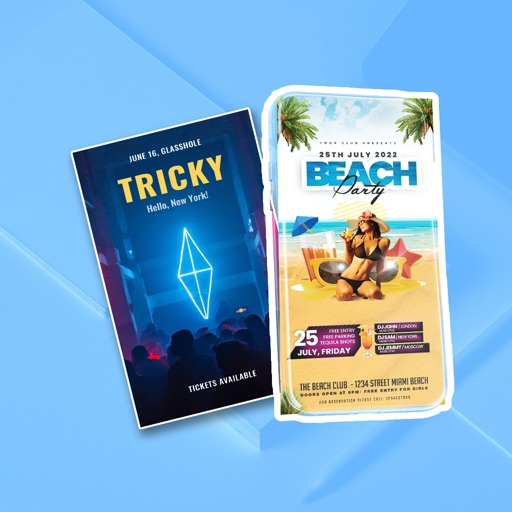
The app allows users to create flyers, invitations, presentations, and logos. Users can choose from pre-made designs or import their own backgrounds and maps.
Edit videos with AI-powered enhancements like upscaling, noise reduction, motion blur, and frame rate adjustment. Create slideshows from photos, add music, and generate memes. Boost quality and export in various formats.
Take handwritten notes with customizable pens, including Chinese-specific tools like a fountain pen and laser pointer. Create and organize notes in a whiteboard, notebook, PDF, mind map, or flashcards format. Sync and share notes across devices.
Create and display scrolling text for presentations. Control text speed and customize font and size. Support multiple scripts. Enable mirror mode for external systems. Share text content directly.
Allows users to draw on their iPhone or iPad using 10 different pens, including ball pen, pencil, and brush. Users can create various line shapes and images. Drawings can be saved and shared directly from the device.
Draw on videos in your library or live camera feeds. Use smart shuttle control to erase drawings while scrubbing. Customize toolbar with colors and pen styles. Add laser pointer and sparkle wand. Record as full or transparent layer.
Create and edit and drawings for home screen and lock screen widgets. Draw with Apple Pencil or finger, type with keyboard. Customize backgrounds, colors, fonts, and zoom for details. Combine text and drawings in one note. Share as images or text.
Presentations include over 700 high-quality designs for slides, infographics, and data visualizations. Each theme offers up to 25 master slides for customizable layouts. Themes cover portfolio, business, travel, leisure, and fashion.
Access presentations and forms offline for instant use. Sync content automatically in the background. Organize files with folders, tags, and search. Track usage with real-time analytics. Scan badges for event registration.
Present, share, and engage with interactive content
Create interactive presentations with drag-and-drop editing. Include text, images, videos, links, galleries, and PDFs. Enable kiosk mode with PIN protection for secure access in public settings.
Create and share professional sales . Track engagement metrics and measure effectiveness. Collaborate in real-time and access templates for consistent content delivery.
Access event information about speakers, exhibitors, and sponsors. Network and exchange contact details with participants. Watch livestreams and VODs of parallel presentations. Download speaker materials to mobile devices.
The app allows users to control a presentation computer remotely using an iOS device or Apple Watch. Users can advance slides from anywhere with an internet connection after installing the controller application.