Allows conversion between Hex, Decimal, Octal, Binary, and Dozenal values. Features include large buttons for accurate input, a large display for readability, and gesture-based copy/paste functionality.
by Charles Prineas★ 4.810 ratingsUtilitiesFreeData updated 2026-09-08
Calculate, add, subtract, multiply, divide, and percentage
Perform basic arithmetic operations including addition, subtraction, multiplication, and division. Calculate percentages and use memory functions like M+, M-, MR, MU, and GT. Includes square root functionality.
Convert text into 100+ formats in real-time. Copy and paste text to convert. Share converted text via links or apps. Customize appearance with themes and dark mode. Use keyboard shortcuts for quick actions.
Convert numbers to , octal, and hexadecimal. Convert numbers to , octal, and hexadecimal. Convert octal numbers to , , and hexadecimal. Perform accurate calculations with an intuitive interface.
A and unit/currency with a clean interface. Convert between 500+ units across 29 categories and 161 currencies. Customize colors and display selected units. Enter values to instantly convert between units.
The app provides an adding machine with a virtual tape. It allows users to add and subtract numbers with up to five decimal places, maintaining a running total and a scrollable tape.
Calculate mathematical expressions with infix notation, view full equations as they are typed. Customize themes to match personal style. Access via lock screen widgets. Use one-handed keyboard for larger devices.
Counters can be created and customized with names and colors. Set increment values and choose layout options. Track multiple counters simultaneously. Large fonts ensure readability. No advertisements are included.
The app converts between decimal, hexadecimal, binary, and roman numbers. It supports number ranges up to 99999999 for decimal, FFFFFFF for hexadecimal, 1111111111111111 for binary, and MMMCMXCIX for roman.
Allows users to review and manage groups with batch processing. right to keep or left to delete photos using gesture-based navigation. Real-time overlays and haptic feedback assist in decision-making.
Vocabulary through interactive categories like Food items, Animals, and Transportation. Watch videos in Animals and Transportation. Tap large icons and buttons. Listen to professional voice-overs. Explore Alphabet, Numbers, and Colors & Shapes.
Perform complex mathematical calculations with up to 15 digits of decimal precision. Handle large numbers without ellipsis. Save and reuse calculation equations. Access calculation history even after closing the .
The app allows users to work with large files and offers features like binary diffing and a data inspector. It handles file changes without requiring temporary disk space.
Enter equations with large numbers to round them to the nearest whole number. Calculate decimal values and display results instantly. Adjust settings for precision. Share results directly.
Perform , decimal, octal, and hexadecimal conversions. Add, subtract, multiply, or divide numbers in these bases. View step-by-step solutions for each calculation. Handle both integer and fractional values.
One-tap smart cleaning removes duplicate and similar photos. Organizes media files by date, size, and type. Deletes large files and frees up storage space. Allows manual selection of files for deletion. Syncs with cloud services for backup.
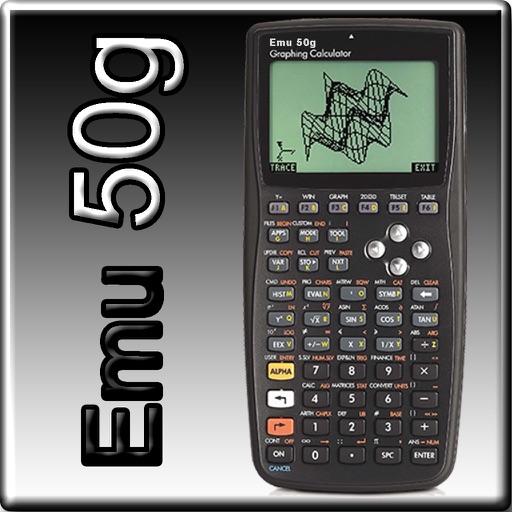
The app provides full emulation of the HP50g calculator with its original skin. Users can save and load calculator states, transfer files, and copy/paste results.
HD allows users to perform precise calculations with support for eight decimal places. It includes piano and guitar sound effects. Users can switch between multiple skin themes.
Perform complex calculations with formula display and editing. Convert currencies and cryptocurrencies. Customize buttons and layouts. Store and recall previous calculations. Adjust decimal places and number formats.