Create evolving shapes and color fields by touching and shaking the screen. Explore color noise, liquid merging, and spastic color bars. Capture screenshots of generated artwork.
by Coffeeshopped LLC★ 4.754 ratingsEntertainmentFreeData updated 2026-09-08
Colored liquids into separate glasses by pouring water between containers. Tap to pour, adjust flow speed, and complete levels by matching groups. Track progress and unlock new challenges.
Create still or animated drawings that flow and evolve. Use generative brushes for natural, responsive sketching. Design fluid artwork for backgrounds or sharing. Adjust brush settings for precise control. Export drawings in various formats.
Enhance low-resolution photos with AI upscaling. Remove blur and noise for sharper details. Adjust brightness, contrast, and color. Save and share improved images in HD format. Restore vintage photos to high-definition quality.
Learn through interactive that teach matching, color recognition, and music. Create and print drawings. Use audio effects and background music. Play on iPhone, iPad, or iPod. Designed for children aged 3 and up.
The app offers tools for photo editing, including frames, layouts, and effects. Users can adjust color balance, brightness, contrast, and saturation, and apply sharpening or blurring.
Beijing Lingguang Zaixian Information Technology Limited
Shoot professional RAW photos and videos
Capture and edit professional-grade photos with support. Adjust 16-bit image processing settings. Apply color calibration profiles for accurate tones. Export in high-quality formats. Access advanced features for free with PRO subscription.
Remove backgrounds from images by drawing a closed curve. Automatically erase similar color areas for transparent results. Adjust brush size for precise edits. Pan, zoom, and rotate images.
Play by tapping to launch orbs and matching three or more of the same color to make them disappear. Complete levels with various goals. Use boosters to assist. Explore different levels and orb types.
Create and edit digital art with brush tools, layers, and color blending. Import photos and sketches. Adjust brightness, contrast, and saturation. Add text and shapes. Export artwork in various formats and share directly.
Create drawings by connecting points on the screen to form shapes. Adjust line thickness and color. Save and share completed drawings. Export in various file formats.
Design logos with customizable templates, color options, text tools, and graphic elements. Add backgrounds and textures. Export logos in various formats and share directly.
Edit Minecraft skins with advanced tools including smart colors, simple body selection, copy and paste, color dropper, editing grid, eraser, and multiple brush sizes. Apply changes instantly in Java . Edit offline and undo actions quickly.
Add to photos using over 63 customizable fonts. Customize , size, and color. Apply filters, stickers, and artwork to enhance designs. Save and share edited images directly.
Play a puzzle game featuring matching color tiles and creating candy boosters. Merge toys and candies to trigger explosions. Solve challenging puzzles by popping blocks and making tile combos. Track progress and unlock new levels.
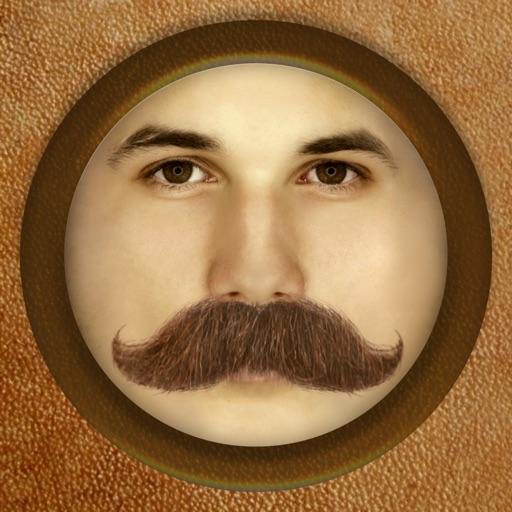
The app adds different types of mustaches to face photos. It automatically adjusts the color and brightness of 16 different mustaches for a realistic result.
Color by number games allow users to color over 1000 artworks for free. Choose from 3D art and string art styles. Create images of objects and animals using color selection tools. Save and share completed artwork.