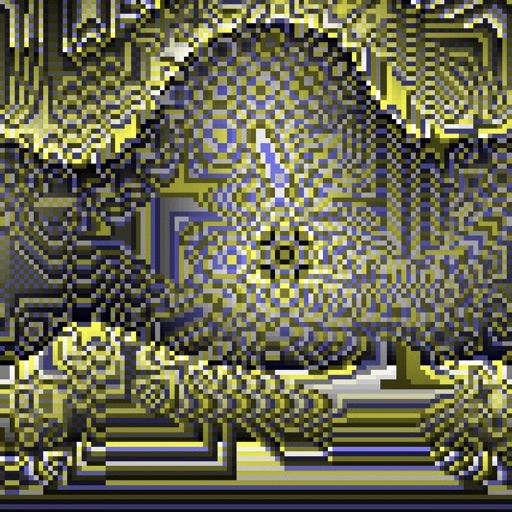
Create evolving shapes and color fields by touching and shaking the screen. Explore color noise, liquid merging, and spastic color bars. Capture screenshots of generated artwork.
by Coffeeshopped LLC★ 4.754 ratingsEntertainmentFreeData updated 2026-09-08
Use phone camera to project images onto surfaces for tracing. Access templates for drawing and coloring. Color traced images to create artwork. Share finished drawings directly.
Create digital art using AI-powered drawing tools. Explore pre-designed worlds for inspiration. Adjust settings to customize your creative environment. Save and share artwork directly.
The app allows users to place stickers of various sizes on backgrounds. Users can clear the page by shaking the device, choose from over 20 backgrounds and 40 stickers, and save creations to the gallery or email them.
Play a puzzle game with 350 levels where you match bubbles of the same color. Pop bubbles to clear levels and earn 3 stars. Compete with friends via Game Center. Listen to iTunes music and create playlists. Make in- purchases for additional content.
Educational for teach colors, shapes, and numbers through interactive activities. Players match objects, complete dot-to-dot puzzles, and sort items by color or category. include space exploration, number recognition, and object identification.
Edit photos with AI-powered enhancements, including noise reduction, color correction, and sharpness adjustments. Remove blur and improve lighting. Export enhanced images in high resolution and share directly.
Colored balls into matching glasses by touching and moving them. Match same-colored balls only. Complete levels with varying difficulty. Features include visual effects, sound, and multiple difficulty modes. Unlock all levels as you play.
Allows users to color , manga, and cartoon characters. Features include selecting from various pages, using different brushes and colors, and saving or sharing completed artwork.
Play a sliding puzzle game where you match blocks by shape, color, and number of dots. 2 to 5 blocks to score points. Complete levels by merging blocks to reach Infinity. Switch between normal and expert modes for different challenges.
Convert images to vintage color palettes of old computers like IBM PC, Apple II, or Game Boy. Apply dithering methods including Floyd-Steinberg, Atkinson, and Bayer. Share edited images with others.
Color pictures with a variety of tools and colors. Draw on blank pages with easy zoom. Replay videos of drawing sessions. Access a collection of funny and realistic images for and sketching.
Create avatars by selecting a photo and trimming it. Add a text stroke with customizable font, color, and frame size. Save the design for use on without ads or watermarks.
Tracks scores with individual counters and player color icons. Displays recent changes and integrates a calculator for complex scoring. Allows customizable profiles to set starting scores quickly.
Solve logic with varying difficulty levels. Features include grid-based challenges, pattern recognition, and spatial reasoning exercises. Track progress and revisit completed . Share achievements via social media.
Blur faces automatically using facial recognition. Add blur, solid color, or emoji to hide faces. Resize and reshape blur regions. Adjust color and effects. Share edited images to photo library and other apps.
Create high-quality wallpapers with customizable effects and manual adjustments. Apply built-in filters for contrast, brightness, and color. Set static wallpapers with high-resolution images. Share wallpapers directly from the .