Create evolving shapes and color fields by touching and shaking the screen. Explore color noise, liquid merging, and spastic color bars. Capture screenshots of generated artwork.
by Coffeeshopped LLC★ 4.754 ratingsEntertainmentFreeData updated 2026-09-08
Capture photos with film effects including dust, scratches, retro colors, flicker, light leaks, and frame shake. Adjust exposure, contrast, and color balance. Export images in various formats and share directly.
MUHAMMED ARAFA ARAFAS BILISIM VE YAZILIM SISTEMLERI
Generate images with AI
Create images from text prompts using AI. Adjust style, color, and composition. Save and share generated images. Access a library of AI-generated art. Collaborate on creative projects with others.
Analyze face shape and seasonal color palette to recommend hairstyles and makeup. Preview hair styles and generate AI videos. Create avatars and apply stylistic transformations to photos.
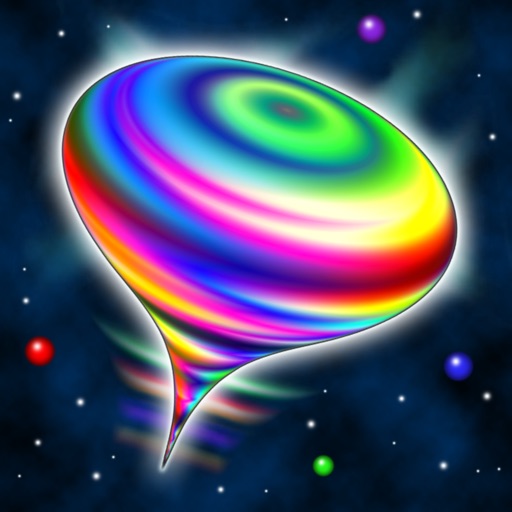
Simulates a spinning, wobbling top with 3D audiovisual effects. Users can swipe to spin, pinch to zoom, and hold to brake. The top changes colors and emits sci-fi sounds in stereo. It floats among stars and morphs into unlimited shapes.
Match and break by touching at least two of the same color. Remove all from the board to clear levels. Collect golden stars to unlock new worlds. Use different strategies for each world. Gather power-ups to assist in removing bubbles.
Color images with a variety of tools to customize artwork. Save completed colors or share creations with others. Access a collection of unique illustrations featuring animals, unicorns, mandalas, and more.
Explore 3D shapes by morphing between a dozen geometric objects. Customize textures, adjust color saturation, and control particle count. Pinch to zoom, rotate shapes, and modify blur settings.
Remove with automatic portrait recognition or brush matting tools. Choose from multiple shape options for precise masking. Add color line strokes to edited areas. Export modified images directly.
Customize anime girls with detailed color editing options. Add unlimited new colors to any part. Use special items with a 2-layer system. Save as portrait profile pictures. Receive free daily items. Choose from pastel or monster styles.
Play by touching, holding, and dragging to make color balls land on tiles. Avoid missing tiles and focus on timing. Follow song rhythms for challenges. Create combos and progress through levels. Track performance and achievements.
The app allows users to create photos and movies using green screen technology. It supports high-resolution video and photo capture, with a timeline editor for layering and editing multiple video or photo elements.
Create and customize Boxes with 100 numbers each. Select numbers freely and adjust the color brightness by sliding. Simulate number draws for entertainment.
Children practice addition and multiplication through interactive . Learn place values up to hundreds and measure lengths. Watch educational videos on time, money, and shapes. Track progress with personalized learning activities.
Puzzle game allows users to select from various categories and levels. Import images from camera roll or color selfies. Choose color sets and difficulty levels. Share completed artwork on social media platforms.
Build and customize an island town with diverse themes and structures. Explore quests, collect treasures, and expand your community. Design unique layouts and unlock new areas through creative building and exploration.
Merge cards of the same value and color to clear the board. Drag and rearrange cards freely. Choose from three difficulty levels. Track and improve your time. Collect diamonds as rewards. Stack cards without exceeding nine cards.