The app offers a free basic and scientific calculator with an intuitive interface. It displays equations and results simultaneously, supporting fractions and percentages.
by Sarah Ragab★ 4.610,075 ratingsUtilitiesFreeData updated 2026-09-13
Solve math problems by capturing photos of equations. Break down solutions step-by-step. Provide explanations and practice exercises. Support algebra, calculus, and arithmetic. Allow users to input problems manually.
Allows plotting of polar, cartesian, and parametric equations with unlimited expressions. Users can add sliders for function transformations, create tables for data input, and animate graphs.
MyCalc offers basic and scientific calculation functions. Users can switch between portrait and landscape modes. It supports currency and unit conversions. Results, equations, and conversions can be copied, shared, or saved.
Calculate areas and volumes of various shapes including squares, rectangles, triangles, circles, and ellipses. Input dimensions to get formulas and results. View volume calculations for cubes, cylinders, cones, and spheres.
Perform calculations with math functions and trigonometry. Switch between units like feet, inches, yards, and metric. Visualize measurements and fractions. Track projects with customizable templates. Export results in various formats.
The app offers scientific and standard modes with over 30 scientific operations. It supports degrees and radians, parentheses, and output in decimal or scientific notation.
Scan and solve questions by capturing equations with the camera. Input problems manually for step-by-step solutions. Receive explanations and practice exercises tailored to specific topics. Track progress over time with detailed performance reports.
Solve problems by snapping a photo. Receive instant step-by-step solutions. Access explanations for complex equations. Track progress and review solved problems. Share solutions with classmates. No ads or in- purchases.
Convert units between metric and imperial systems including area, distance, speed, temperature, volume, time, weight, energy, and power. Calculate area, speed, distance, and volume with supported units. Switch between units quickly and accurately.
Calculate volume for holes, slabs, or tubes using precise equations. Choose input units from mm, cm, m, inches, feet, yards, or miles. Select output units including cubic mm, cm, m, inches, feet, yards, or miles. Adjust decimal places for precision.
Perform calculations with basic arithmetic, fractions, and advanced functions. Store calculation history for review. Switch between light and dark modes. Use HD display for clear results. Adjust layout for easier input.
Solve mathematical problems with fraction, decimal, and equation input. Display results in decimal, rational, , or trigonometric formats. Support up to 16 decimal places for precise calculations.
The app offers number crunching power with an expanded keyboard for formula entry. Capabilities include formula dragging, limited graphing, sorting, freezing headers, and CSV import/export.
The app offers a scientific calculator with complex number support and programmable keys. It includes graphing capabilities for up to nine equations, vector and matrix calculations, and a unit converter for various measurements.
Calculate , topsoil, dirt, or landscaping material needed for projects. Input dimensions for rectangular, circular, or custom areas. Enter measurements in inches, feet, yards, centimeters, or meters.
The app shows expressions as users enter them and keeps a history of calculations. It performs fraction and angle conversions, solves equations, and converts between coordinate systems.
Convert units and currencies across hundreds of categories with real-time exchange rates updated every 6 hours. Calculate mortgages, loans, tips, and fuel consumption. Edit, create, or download customizable templates for various conversions.
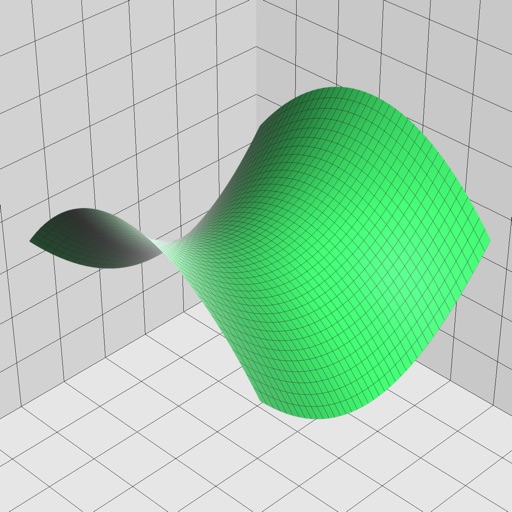
Enter and edit equations in mathematical notation. Visualize 2D and 3D graphs of explicit, implicit, and inequality equations. Adjust settings for display and analysis. Save and share calculations.