Track real-time GPS locations of and . Share location updates instantly. View maps with precise coordinates. Set custom location alerts. Notify contacts when someone arrives at a destination.
Track speed and altitude during outdoor activities. Record and visualize movement history on maps. Display data in charts for easy analysis. Save and review route details after completing activities.
Track and manage assets using GPS devices. View user location, select asset types, create and send new assets, move existing assets to current location. Supports Trimble and Geode GPS devices for accurate data syncing to a web application.
Provides real-time device orientation based on magnetic fields. Allows switching between true and magnetic north. Displays compass direction and azimuth. Includes declination information. Offers tilt sensitivity settings.
Provide lighting with multiple modes including slider, toggle, and custom presets. Use strobe mode with adjustable speed. Activate SOS mode for emergency signals. Display full-screen color light for ambient purposes.
The app displays GPS receiver information, including satellite status, current location, and battery level. It allows users to manage route recording and download stored routes from the receiver.
Access offline topographic of New Zealand. Download and manage to conserve storage. Locate DOC huts, campsites, and hunting areas. Search for named locations. Import GPX routes and share via AirDrop. Measure distances on .
Display speed and heading with GPS accuracy. Show location of nearby speed cameras. Change speed units, prevent screen lock, and enable speed camera alerts in settings.
Display and coordinates using iPhone GPS. View precise location data instantly. Features a clean interface for quick reading of coordinates. No unnecessary features or tabs.
Monitor device data including , network usage, and system information. Record logs over time and export data in various formats. View detailed device specifications and track changes in real-time. Remove ads with a purchase.
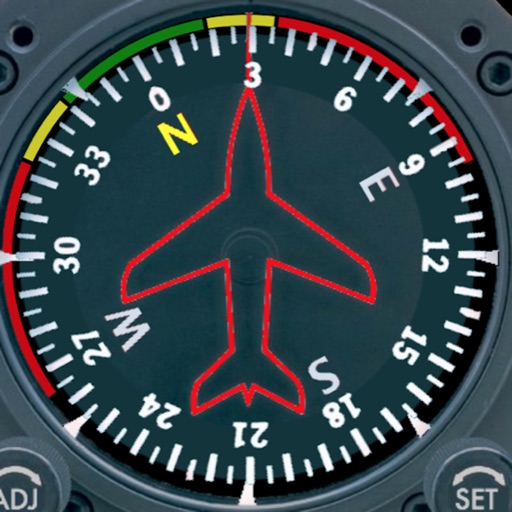
Displays a photorealistic -style indicator with both analog and digital readouts. Users can toggle rotation lock, simulate the instrument indoors, and view improved graphics. Supports latest iOS versions and includes bug fixes.
Convert between decimal degrees, degrees and decimal minutes, and degrees-minutes-seconds. Display all three formats simultaneously. Enter in any format for instant conversion.
The app displays a zoomable map that moves with the aircraft and shows key flight variables. Users can select different map types, aircraft icons, and units of measurement for a personalized flight simulation experience.