The app provides access to a multitude of images for texting greetings. Users can browse categories, select images, and save them to their photo library with one tap.
by James Royal★ 1.02 ratingsEntertainment$0.99Data updated 2026-10-15
Edit images by on photos and adding text. Choose from 45 colors and five pen thicknesses. Use zoom editing and undo functionality. Share edited images via email, Twitter, and Facebook.
Add text to photos using customizable fonts and captions. Overlay images with artistic artwork or choose from filters and frames. Scale and crop photos for editing. Share edited photos directly to Instagram.
Convert photos into limited-color posters with a effect. Apply filters to adjust colors and brightness. Share images on social media platforms like Facebook and Twitter. Save or email the edited photos directly.
Capture thoughts, to-dos, and ideas quickly with a dedicated note-taking interface. Send via or directly. Set reminders and organize entries into folders. Sync across devices and search for past efficiently.
Edit photos with seasonal frames and nature effects. Select images from the gallery or take new photos. Apply filters and effects to enhance visuals. Save and share edited photos directly.
AI texting helps users generate responses and pickup lines by analyzing chat screenshots. It integrates with multiple platforms to assist with messaging. Users can upload images, scan text, and receive suggested replies.
Generate images from text or existing images using AI. Edit and refine generated images. Save and share outputs without login or payment requirements. No usage limits or subscription needed.
Set with HD quality images. Browse 13 categories including animals, architecture, and space. Save favorites and preview by tapping the screen. Access a Pinterest-like interface for browsing and organizing content.
Create videos using selected images from the gallery. Add text, transitions, and background music. Share videos directly to social media platforms. Edit photos with filters and cropping tools. Export in high resolution for playback.
Save and share high-definition fan art . Download optimized images for iPhone and iPad. Access via photo gallery. Share through Facebook, Twitter, and Google+. Requires internet connection for use.
Create invitations with customizable free layouts and a library of images. Choose from various occasions like birthdays, weddings, and holidays. Add text, images, and designs. Share invitations via email or social media. Export as PDF or image files.
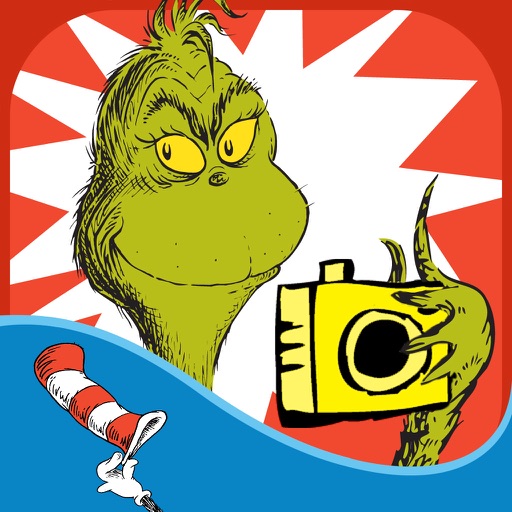
The app allows users to create Grinchmas cards using Seuss characters. Users can personalize cards with stamps, borders, and text, then share them via social media or save them.
Set custom with high-resolution images. Choose from anime, gaming, and rapper themes. Apply to home screens and lock screens. Download and set 4K and 8K backgrounds. Select from various categories including sports and 3D .
Create custom wallpapers by adding quotes, images, or preloaded icons like flowers, cakes, teddy bears, rings, and hearts. Personalize preloaded romantic wallpapers with text and images. Share customized wallpapers directly.