Apps Like Dracula - Bram Stoker for iPhone and iPad
Read books with auto-scroll feature
Read books with auto-scroll functionality. Navigate through pages, adjust text size, and highlight passages. Access additional information about the book and provide feedback to the publisher.
by Qualex Consulting Services, Inc★ 4.717 ratingsBookFreeData updated 2026-09-08
Access and e-books from public domain collections. Browse and download titles in multiple languages. Search for specific books or authors. Listen to or read text versions. Organize and manage downloaded content locally.
Access e-books and audio books from a vast public domain collection. Browse thousands of titles across multiple languages. Search for books by title or author. Adjust text size and background color. Listen to audiobooks with playback controls.
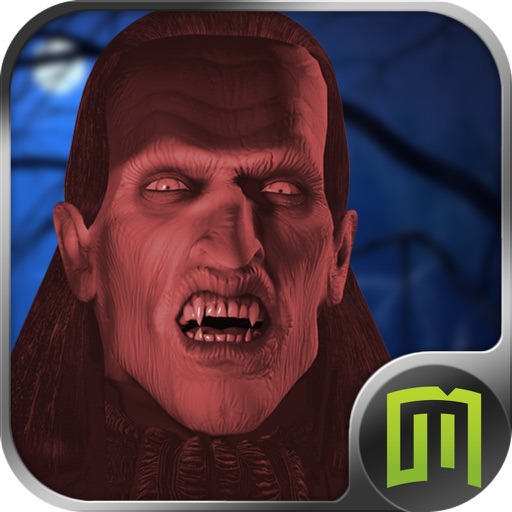
The app presents an adventure in Transylvania where Jonathan Harker fights Dracula. This point-and-click game features 360° vision, realistic characters, and numerous enigmas to solve.
The app presents an adventure in Transylvania where Jonathan Harker fights Dracula. This point-and-click game features 360° vision, realistic characters, and enigmas to solve.
Listen to with one tap. Download titles for offline playback. Save progress and track reading history. Access a collection of public domain books. Adjust playback speed and navigate chapters.
The app provides auto-scroller speeds for a hands-free reading experience. It features the story of Henry Jekyll, a London doctor who experiments with separating good and evil sides of a person.
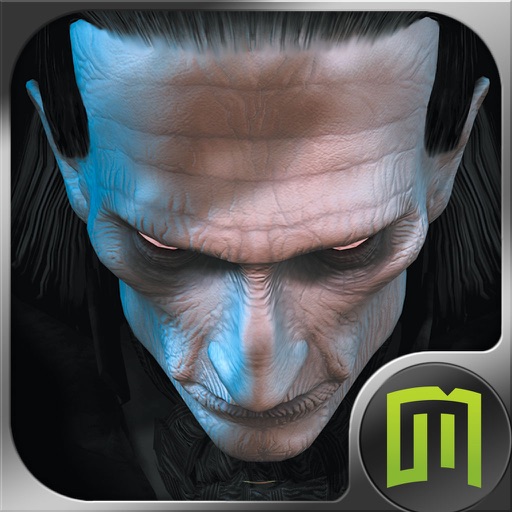
The hunt for Dracula continues in this blood-curdling adventure. The app is a point-and-click adventure using 360° vision technology in every scene, adapted for touch screens and mobile platforms.
Access ebooks, audiobooks, and magazines using a card. Borrow titles instantly and read or listen offline. Stream content to save space. Send ebooks to Kindle (U.S. only). Sync audiobooks with Apple CarPlay.
Read purchased books from . Access over six million titles including magazines and comics. Download Unlimited and Prime books directly. Start reading instantly without setup. Sync reading progress across devices.
Track books with a barcode scanner, log reading progress, and set reading goals. Write , share ratings, and discover recommendations based on read history and preferred genres. View friends' reading lists and receive personalized suggestions.
Read chapters weekly with free access to popular series like My Hero Academia and One Piece. Track reading progress, set reading goals, and receive notifications for new chapters. Share with friends and view detailed character information.
Read and listen to eBooks and . Customize reading settings, sync progress across devices, and scroll smoothly. Access a library of and . Manage reading lists and organize content. Support for text-to-speech and adjustable font sizes.
Read and download PDF documents and audiobooks. Navigate through pages, adjust text size, and play audiobooks with built-in playback controls. Sync reading progress across devices.
Read books with auto-scrolling feature to enhance reading flow. Access The of Oz text with illustrations. Navigate through chapters and adjust text size for better readability.
Read novels, scroll endlessly, and enjoy full-screen
Read novels with full-screen mode and customizable fonts. Enable night reading mode for comfortable viewing. Scroll through chapters automatically. Save reading progress and access history. Simulate paper book reading for an immersive experience.
Read web novels with urban, romance, fantasy, and classic genres. Navigate chapters, bookmark pages, and adjust text size. Search for specific stories and follow updates. Sync progress across devices.
Read textbooks offline with download capability. Highlight and annotate text for note-taking. Create flashcards with text and images for study. Adjust font, size, and background colors for readability. Listen to audiobooks for auditory learning.
Read e-books with support for , MOBI, PDF, and other formats. Use bookmarks, colored highlights, and notes. Adjust font size, text brightness, and page scrolling. Enable dark mode and offline reading. No ads.